When I joined Jumpmind, one of the first things that struck me was how consistently …



Cloud-native POS platform for seamless omnichannel customer experience.

A single hub for all promotions campaigns.

The most advanced synchronization solution for databases and file systems.

Data configuration and batch automation across different disparate systems and vendors.
When I joined Jumpmind, one of the first things that struck me was how consistently …

Physical retail is back as a growth engine; RSR research shows that 85% of retailers …
Is your retail POS system holding your business back? If you’re running on a legacy …

If you run SymmetricDS in production, you know the drill: dozens of nodes, constant data …
Overview Organizations today face the challenge of consolidating data from on-premise and cloud-based systems into …
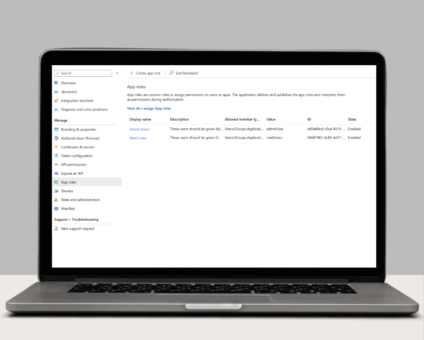
Single Sign-On with OAuth 2.0/OpenID Connect One of the many new features included in version …

Jumpmind Powers Point of Sale and Promotions Execution for Landmark Retail, One of the Largest …
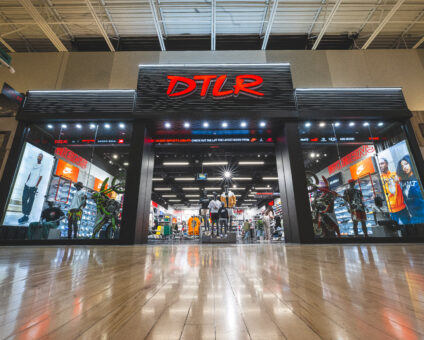
Retail Technology Leader Jumpmind to Enable Mobile Point of Sale and Inventory Management for DTLR/VILLA …

The retailer is charting its next chapter with retail technology modernization to power inspired omnichannel …
If you run SymmetricDS in production, you know the drill: dozens of nodes, constant data …

LONDON, March 17, 2026 — Jumpmind, a leading provider of innovative retail technology solutions, today …

Last week, I had the opportunity to be at EuroShop 2026 in Düsseldorf, Germany, the …
Cloud-native POS platform for seamless omnichannel customer experience.
A single hub for all promotions campaigns.
The most advanced synchronization solution for databases and file systems.
Data configuration and batch automation across different disparate systems and vendors.
Is your retail POS system holding your business back? If you’re running on a legacy point-of-sale platform, the answer is likely yes, even if you don’t realize it yet.
The retail technology landscape has fundamentally shifted. While legacy POS systems were designed for a simpler era of in-store-only transactions, today’s retailers need platforms that can handle omnichannel commerce, real-time inventory updates, mobile checkout, and rapid feature deployment. This is where cloud-native POS architecture makes all the difference.
In this guide, we’ll break down the critical differences between cloud-native and legacy POS systems, explore why modern architecture matters for your retail operations, and help you understand when it’s time to make the switch.
A cloud-native POS system is built from the ground up to run in the cloud, leveraging modern microservices architecture, APIs, and containerization. Unlike legacy systems that were retrofitted for cloud hosting, cloud-native platforms are designed specifically for cloud environments.
Key characteristics of cloud-native POS:
For example, Jumpmind Commerce exemplifies cloud-native architecture by enabling retailers like The Paper Store to deploy across 800+ devices in 100+ stores in just four weeks—something nearly impossible with traditional legacy systems.
Legacy POS systems, also called traditional or on-premise POS, were designed in the 1990s and early 2000s for a fundamentally different retail environment. These systems typically run on dedicated hardware, require on-site servers, and were built before mobile commerce, omnichannel retail, and real-time data became table stakes.
Characteristics of legacy POS systems:
Many legacy systems have added “cloud capabilities” over time, but this is fundamentally different from being cloud-native. Adding cloud features to a legacy platform is like putting a new coat of paint on an old building. It looks better on the surface, but the foundation remains unchanged.
Legacy POS: Built as a single, tightly coupled application where all components must work together as one unit. If one part fails, the entire system can go down. Updates to any component require testing and deploying the entire application.
Cloud-Native POS: Composed of independent microservices that communicate via APIs. Each service (payment processing, inventory management, customer profiles) can be updated, scaled, or replaced without affecting others. This modularity dramatically reduces risk and increases agility.
Why it matters: When you need to add a new payment method, update your loyalty program, or integrate with a new fulfillment system, microservices architecture lets you make changes in days instead of months.
Legacy POS: Requires scheduled maintenance windows, often late at night or during slow periods. Updates involve coordinating with IT teams, testing extensively, and accepting downtime risk. Many retailers run outdated versions simply because updates are too disruptive.
Cloud-Native POS: Continuous deployment means updates happen automatically in the background with zero downtime. Security patches roll out immediately. New features become available without requiring IT intervention or store disruption.
Why it matters: The retail threat landscape evolves constantly. Cloud-native systems can respond to security vulnerabilities within hours, not weeks. Plus, your team always has access to the latest features without waiting for major version releases.
Legacy POS: Scaling requires purchasing additional hardware, setting up servers, and manual configuration. Peak periods like Black Friday require over-provisioning hardware that sits idle the rest of the year. Performance degrades as transaction volume increases.
Cloud-Native POS: Automatically scales resources up during peak periods and down during slow times. You only pay for what you use. Performance remains consistent regardless of transaction volume because the system adds computing resources on demand.
Why it matters: You can confidently handle 10x normal traffic during major sales events without calling IT or worrying about system crashes. Your costs scale with your actual business needs rather than being locked into fixed infrastructure investments.
Legacy POS: Limited, proprietary APIs that restrict integration options. Third-party connections require custom development, extensive testing, and ongoing maintenance. Each integration is a fragile point of failure.
Cloud-Native POS: API-first architecture designed for integration. Modern RESTful APIs with comprehensive documentation make connecting to e-commerce platforms, accounting systems, inventory management, and marketing tools straightforward. Integration is a core design principle, not an afterthought.
Why it matters: Your retail technology stack needs to work together seamlessly. Cloud-native POS becomes the hub that connects your entire ecosystem, from Shopify to NetSuite to Mailchimp, without requiring an army of developers.
Legacy POS: High upfront capital expenditure for servers, networking equipment, and specialized hardware. Ongoing costs for maintenance contracts, IT staff, hardware replacements, and facility costs (power, cooling, physical security). Hidden costs in lost productivity during updates and outages.
Cloud-Native POS: Lower upfront investment with predictable subscription pricing. Infrastructure, security, and maintenance included. No need for dedicated IT infrastructure or specialized hardware. Transparent, operational expense model that scales with your business.
Why it matters: Beyond the obvious cost savings, cloud-native POS frees your IT team to focus on strategic initiatives instead of keeping the lights on. Many retailers see 30–50% TCO reduction over five years when switching from legacy to cloud-native systems.
Legacy POS: Requires complex, expensive disaster recovery planning. Data backups must be managed manually. Hardware failures can take stores offline for hours or days. Geographic redundancy requires duplicate infrastructure investments.
Cloud-Native POS: Automatic data replication across multiple availability zones. If one data center has issues, traffic automatically routes to another. Built-in disaster recovery is standard, not an expensive add-on. Offline mode capabilities keep stores operational even without internet connectivity.
Why it matters: Store downtime directly impacts revenue. Cloud-native architecture minimizes outage risk and ensures you can continue processing transactions even during infrastructure problems.
Legacy POS: New features require long development cycles, extensive testing, and coordinated deployment across all locations. Innovation is slow and expensive. Customization for competitive differentiation is difficult or impossible.
Cloud-Native POS: Rapid feature deployment through microservices. A/B testing and gradual rollouts reduce risk. API access enables custom capabilities without modifying core system. Integration with emerging technologies (AI, IoT, advanced analytics) is straightforward.
Why it matters: Retail is increasingly competitive. The ability to quickly test new customer experiences, adopt emerging technologies, and differentiate your offering can be the difference between market leadership and irrelevance.
Not every retailer needs to abandon their legacy POS immediately. However, you should seriously consider migrating to a cloud-native platform if you’re experiencing any of these indicators:
Technical red flags:
Business indicators:
Opportunity signals:
Timeline: Leading cloud-native POS platforms can deploy in 4–16 weeks, depending on complexity and customization needs. This is dramatically faster than legacy system implementations that often take 6–18 months.
Costs: While you’ll have subscription costs for the cloud-native platform, you’ll eliminate hardware investments, reduce IT overhead, and avoid expensive maintenance contracts. Most retailers achieve ROI within 12–24 months.
Risk mitigation: Phased rollouts, extensive testing, and pilot stores allow you to validate the system before full deployment. Modern platforms like Jumpmind Commerce include comprehensive training and support to ensure smooth transitions.
Data migration: Reputable vendors provide tools and services to migrate historical data, ensuring you don’t lose valuable transaction history and customer information.
Legacy POS systems were revolutionary in their time, but they’re fundamentally incompatible with modern retail demands. Cloud-native architecture isn’t just a technology upgrade—it’s a strategic enabler that gives retailers the agility, reliability, and capabilities needed to compete in today’s market.
The question isn’t whether to modernize your POS, but when and how. Waiting too long means falling further behind competitors who are already leveraging cloud-native advantages. The retailers who thrive in the next decade will be those who embrace modern architecture now.
Ready to explore how cloud-native POS can transform your retail operations? Learn more about Jumpmind Commerce or contact our team to discuss your specific needs.