I just got back from Shoptalk in Las Vegas, and this year’s show hit differently …



Cloud-native POS platform for seamless omnichannel customer experience.

A single hub for all promotions campaigns.

The most advanced synchronization solution for databases and file systems.

Data configuration and batch automation across different disparate systems and vendors.
I just got back from Shoptalk in Las Vegas, and this year’s show hit differently …

When I joined Jumpmind, one of the first things that struck me was how consistently …

Physical retail is back as a growth engine; RSR research shows that 85% of retailers …

If you run SymmetricDS in production, you know the drill: dozens of nodes, constant data …
Overview Organizations today face the challenge of consolidating data from on-premise and cloud-based systems into …
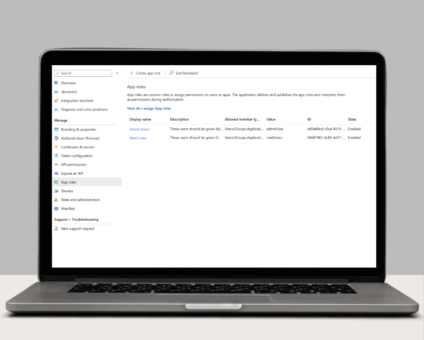
Single Sign-On with OAuth 2.0/OpenID Connect One of the many new features included in version …

Jumpmind Powers Point of Sale and Promotions Execution for Landmark Retail, One of the Largest …

Retail Technology Leader Jumpmind to Enable Mobile Point of Sale and Inventory Management for DTLR/VILLA …

The retailer is charting its next chapter with retail technology modernization to power inspired omnichannel …
If you run SymmetricDS in production, you know the drill: dozens of nodes, constant data …

LONDON, March 17, 2026 — Jumpmind, a leading provider of innovative retail technology solutions, today …

Last week, I had the opportunity to be at EuroShop 2026 in Düsseldorf, Germany, the …
Cloud-native POS platform for seamless omnichannel customer experience.
A single hub for all promotions campaigns.
The most advanced synchronization solution for databases and file systems.
Data configuration and batch automation across different disparate systems and vendors.

Do you need to move data from a read-only source as it changes to a new target? Read-only or time-based replication can be used to achieve this use case. There are positives and negatives, but sometimes this is a necessary option. This blog will review the advantages and show how they can be achieved using SymmetricDS.
In a read-only / time-based capture scenario there are three options used to stream data from the source to the target.
Your table has a timestamp column that represents a last updated time for the row. Each table can be configured with a specific timestamp column to be used. This does not have to be the same column name across all tables.
When your table(s) do not have a last update column to represent changes the primary key may be an option. For tables that only have data inserted, a numeric primary key may be used. If this numeric key always increases it can be used to drive change capture on the table.
The data refresh job is the final approach if a timestamp column or an incremental primary key are not feasible. This approach may not be ideal for large tables, but might be the only option for a read-only source without any other hooks to obtain changes. This job can be scheduled to run independently based on your requirements.
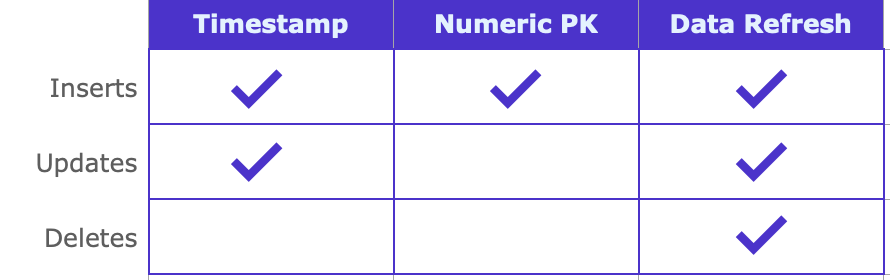
Tables using a timestamp column or a numeric primary key will run on the same schedule as the log miner job. By default this job will run every 10 seconds, but can be configured to meet your needs. When this job runs, it will store a value for all of the time-based configured tables. By storing the most recent time or the last read primary key value for a given table, the job will pick up where it left off from the previous run to ensure all data is replicated.
The data refresh tables have a dedicated job (called Data Refresh Job) that can be scheduled independently of the timestamp and numeric primary key capture tables. These tables are generally not fully refreshed as often since they send the entire data set for the table rather than incremental changes.
While going through the add database wizard there is an option to select the capture mode (Trigger, Log, Time-Based). Select time-based as the replication mode.
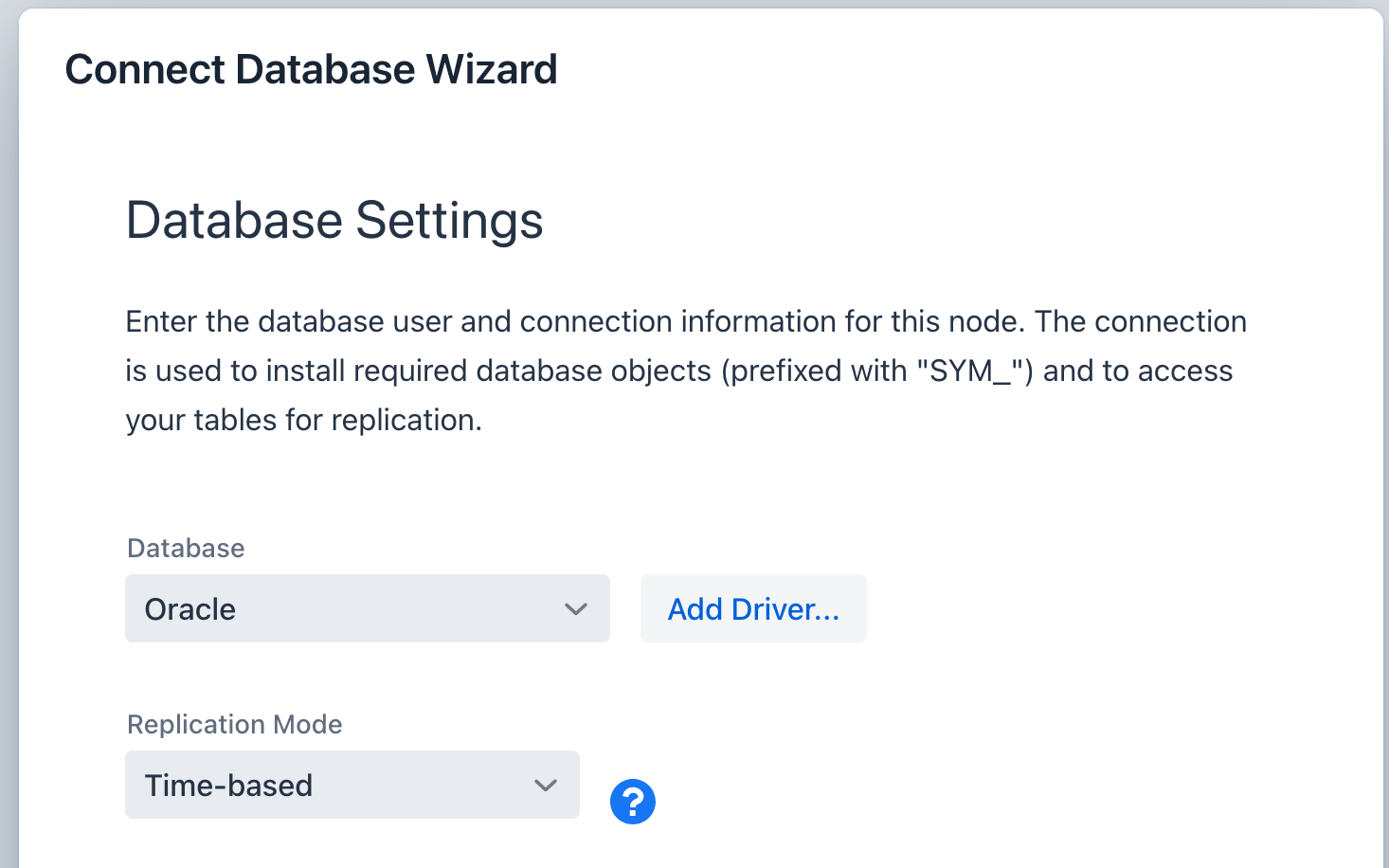
2. Adding Tables
While adding tables to the replication through the add table wizard, it will provide a new screen for a time-based replication setup. This new screen will analyze all selected tables to automatically map the column to be used for time-based replication.
Results of scanning all selected tables can contain the following options.
No timestamp columns and no numeric primary key present (data refresh job will full load this table each time it runs).
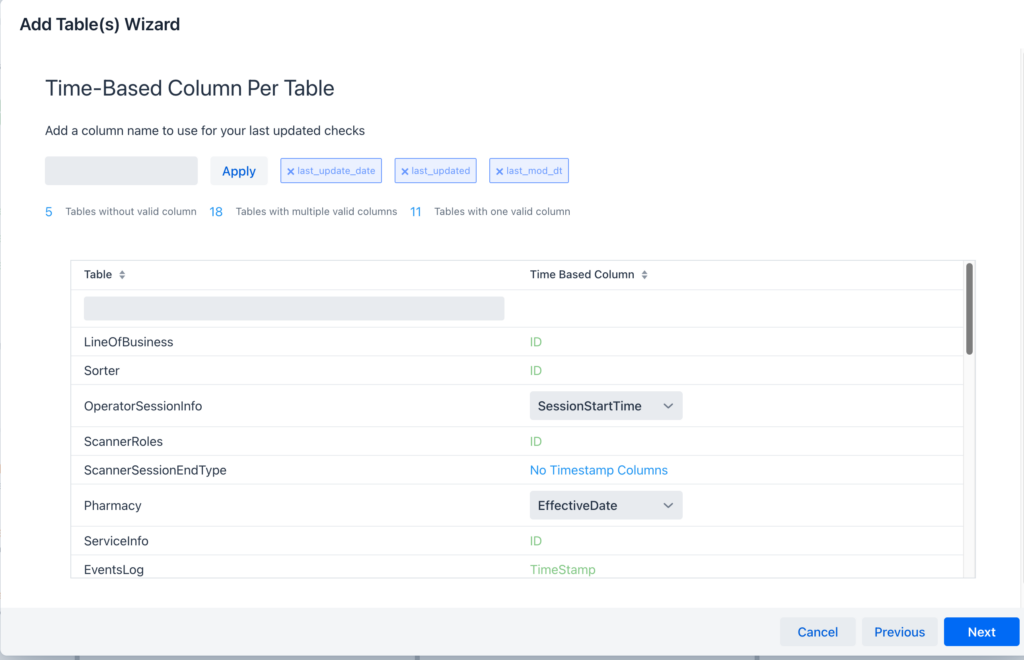
3. Data Refresh Job
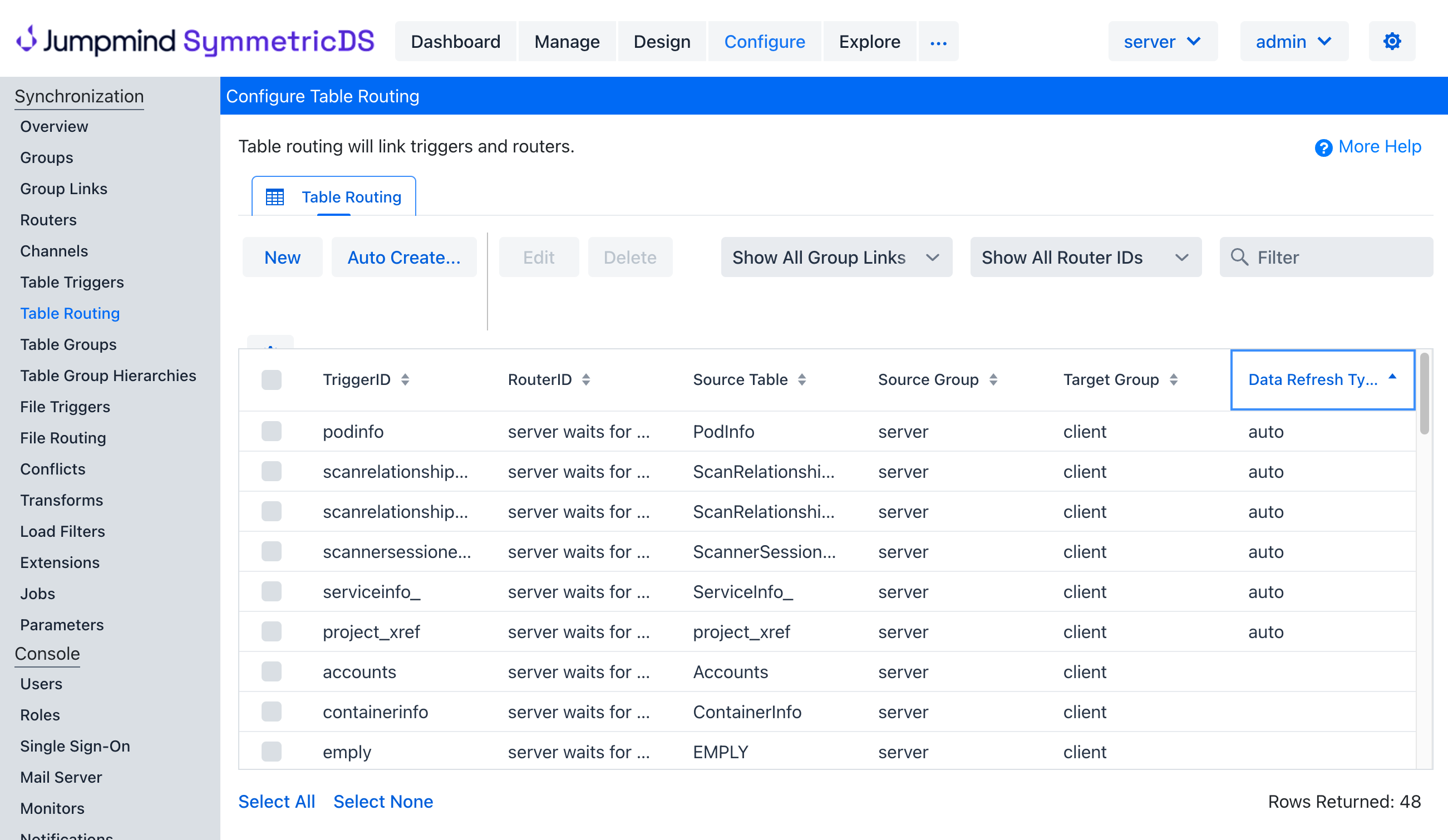
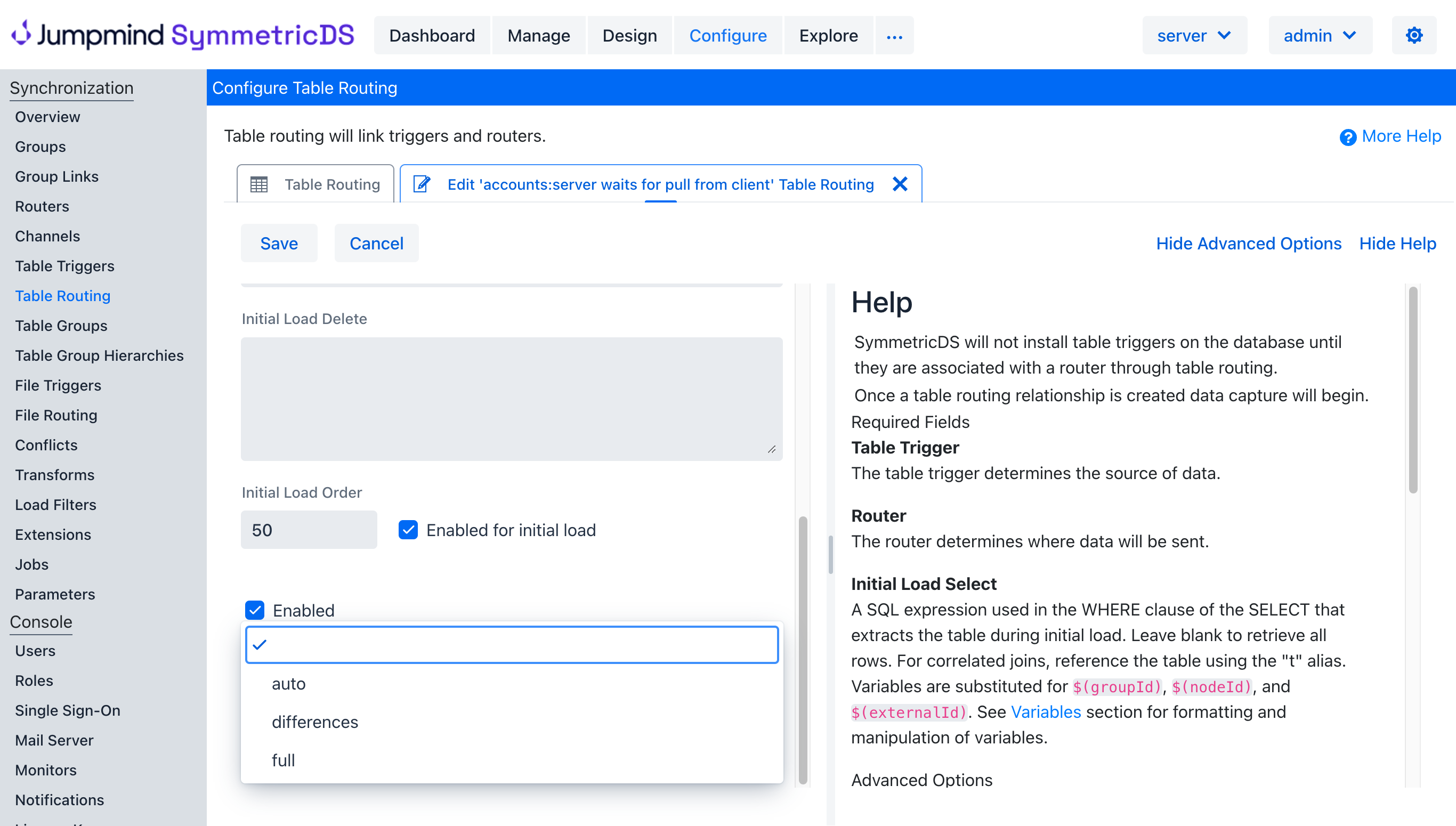
By default all tables that do not have a column to use for time-based replication will be setup to use the data refresh job. The data refresh job uses the setting on the configure->table routing screen. The data refresh accepts four possible values:
Verify which tables are setup for data refresh
Change the data refresh option for a table
For a deeper dive into setting up and managing time-based replication with SymmetricDS, reach out for a demo and explore the advanced features available to enhance your replication strategy.