Your POS system shouldn’t be an island. In today’s retail environment, your point-of-sale platform needs …



Cloud-native POS platform for seamless omnichannel customer experience.

A single hub for all promotions campaigns.

The most advanced synchronization solution for databases and file systems.

Data configuration and batch automation across different disparate systems and vendors.
Your POS system shouldn’t be an island. In today’s retail environment, your point-of-sale platform needs …

Introduction In retail, POS updates have traditionally been quarterly events at best. From October through …

Two days at ExCeL. Hundreds of vendors. Thousands of conversations. And yet, walking away from …

If you run SymmetricDS in production, you know the drill: dozens of nodes, constant data …

Overview Organizations today face the challenge of consolidating data from on-premise and cloud-based systems into …
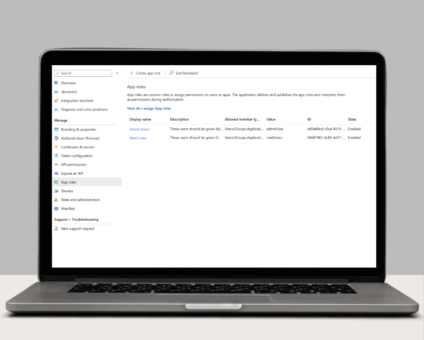
Single Sign-On with OAuth 2.0/OpenID Connect One of the many new features included in version …
Introduction In retail, POS updates have traditionally been quarterly events at best. From October through …

Jumpmind Powers Point of Sale and Promotions Execution for Landmark Retail, One of the Largest …

Retail Technology Leader Jumpmind to Enable Mobile Point of Sale and Inventory Management for DTLR/VILLA …

LONDON – April 21, 2026 – Jumpmind, a leading provider of innovative retail technology solutions, …

Physical retail in Europe is in a stronger position than many headlines suggest. New research …
If you run SymmetricDS in production, you know the drill: dozens of nodes, constant data …
Cloud-native POS platform for seamless omnichannel customer experience.
A single hub for all promotions campaigns.
The most advanced synchronization solution for databases and file systems.
Data configuration and batch automation across different disparate systems and vendors.

Your POS system shouldn’t be an island.
In today’s retail environment, your point-of-sale platform needs to talk to your e-commerce site, inventory management system, loyalty program, marketing automation, accounting software, and a dozen other tools. If integrating these systems feels like pulling teeth, you’re likely dealing with a POS platform that wasn’t built with APIs as a first-class concern.
API-first architecture changes everything. Instead of treating integrations as an afterthought, API-first POS systems make connectivity a core design principle. The result? Seamless data flow, faster implementations, and the flexibility to build exactly the retail experience your customers expect.
Let’s explore why API-first design is transforming retail technology—and why it should be non-negotiable for your next POS investment.
API-first means that every capability of the POS system is designed to be accessible through a well-documented, standards-based API before any user interface is built. The API isn’t tacked on later as an integration option—it’s the foundation of how the entire system operates.
Key characteristics of API-first POS:
Compare this to legacy POS systems where APIs were added later, often incompletely, with limited documentation and proprietary formats that require specialized expertise.
Traditional retail systems operate in silos. Your in-store POS doesn’t talk to your online store. Your inventory system has a different view than your e-commerce platform. Your customer data lives in three separate databases.
API-first POS platforms eliminate these silos by making data accessible across your entire technology stack. When a customer adds an item to their cart online, checks inventory on your mobile app, and completes the purchase in-store—all of this happens seamlessly because systems are truly connected through APIs.
Real-world example: Petco leverages Jumpmind Commerce’s API-first architecture to deliver seamless omnichannel experiences. Customers can start their journey online, check real-time inventory at nearby stores, and complete their purchase either online with in-store pickup or directly in the store—all powered by API connections that keep data synchronized in real-time.
Omnichannel retail requires multiple systems to work together flawlessly:
Buy Online, Pick Up In Store (BOPIS):
Without API-first architecture, this simple customer journey becomes a complex integration nightmare involving manual processes, batch updates, and inevitable errors.
Ship from Store:
When online orders can be fulfilled from retail locations, APIs enable:
Endless Aisle:
Store associates can sell items not currently in stock by accessing inventory across the entire company through APIs connecting the POS to central inventory and e-commerce systems.
With API-first POS, adding new capabilities doesn’t require ripping out existing systems or waiting for vendor roadmaps. Your team can:
A typical mid-size retailer’s technology stack includes:
With legacy POS systems, each integration is a custom project requiring:
With API-first POS platforms, integrations follow predictable patterns:
Time savings are dramatic: Integrations that took months with legacy systems can be completed in weeks with API-first platforms. Some common integrations become plug-and-play with pre-built connectors.
API-first architecture enables real-time data flow instead of batch updates:
Modern API-first POS systems often leverage microservices architecture, where the platform is composed of independent services that communicate via APIs:
Each microservice exposes its own API, enabling:
Not all vendors claiming “API support” deliver true API-first architecture. Here’s how to evaluate:
Look for detailed, public API documentation with:
Red flag: Vendors who won’t share API documentation until after contract signing likely have inadequate APIs.
Ask specifically: “What POS functions are NOT available via API?”
The answer should be “very few” or “none.” If core functions like promotions, customer management, or reporting aren’t API-accessible, the platform isn’t truly API-first.
Review the vendor’s integration partner ecosystem. A healthy list of pre-built integrations indicates:
Ask about API rate limits, response times, and uptime SLAs. APIs must handle production-scale traffic with low latency. Request customer references who can speak to integration experiences.
Understand the vendor’s API versioning policy:
Stable APIs minimize ongoing maintenance costs.
Retailers who migrate to API-first POS platforms report:
In retail, speed matters. API-first POS enables you to:
These capabilities translate directly to competitive advantage and market share gains.
Technology evolves rapidly. Today’s cutting-edge integration is tomorrow’s table stakes. API-first architecture future-proofs your POS investment by ensuring you can:
“Won’t extensive API access create security risks?” API-first platforms include robust authentication, authorization, and rate limiting. Security is built in, not compromised. In fact, well-designed APIs with proper access controls are often more secure than proprietary integrations.
“Our IT team isn’t large enough to handle complex integrations.” API-first design actually reduces integration complexity. Clear documentation and standard formats mean many integrations become straightforward projects. Plus, robust integration partner ecosystems often provide pre-built connectors.
“We’re happy with our current systems—why change?” If your current system meets all needs and you have no omnichannel ambitions, change may not be urgent. However, as customer expectations evolve and competitors advance, API limitations will increasingly constrain your business.
Moving to an API-first POS platform is a significant decision, but modern implementations are surprisingly smooth:
In modern retail, your POS system must be the connected hub of your entire technology ecosystem, not an isolated application. API-first architecture makes this possible by treating connectivity and integration as first-class design principles rather than afterthoughts.
As customer expectations continue rising and omnichannel retail becomes table stakes, API-first POS platforms provide the flexibility, integration capabilities, and innovation speed retailers need to compete effectively.
The question isn’t whether to adopt API-first POS, but how quickly you can make the transition. Your competitors are already leveraging these advantages—can you afford to wait?
Discover how Jumpmind Commerce’s API-first architecture enables seamless omnichannel retail experiences. Explore our platform or schedule a demo!