Last year, holiday sales topped $1 trillion for the first time, up 4.1%, according to …



Cloud-native POS platform for seamless omnichannel customer experience.

A single hub for all promotions campaigns.

A comprehensive solution designed to simplify and give you ownership of the inventory lifecycle.

A native post-transaction reconciliation module built into Jumpmind Commerce.

The most advanced synchronization solution for databases and file systems.

Data configuration and batch automation across different disparate systems and vendors.
Last year, holiday sales topped $1 trillion for the first time, up 4.1%, according to …

The store is becoming a relationship, not just a transaction The store is being talked …

I spent this week at eTail Boston, and if you looked at the agenda, you’d …
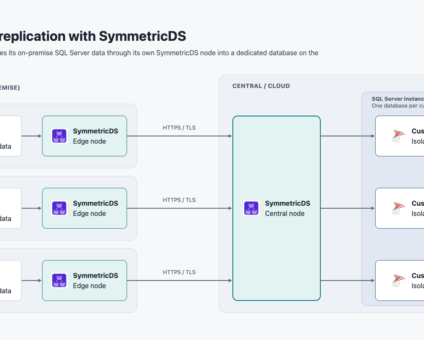
Learn how to replicate each tenant database in a central SQL Server to its own edge database with SymmetricDS. One routing rule and a matching external ID keep tenants isolated.
Quick answer: Agentic AI systems need data that is current, consistent across systems, available even …
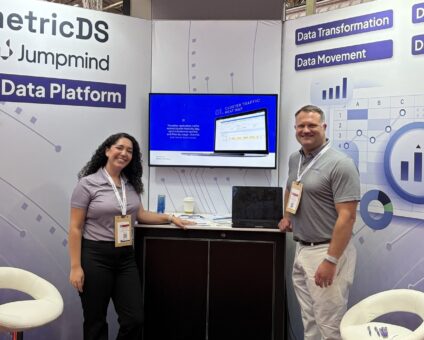
This was our second year at Big Data LDN, and attendance felt just as strong …

Introduction In retail, POS updates have traditionally been quarterly events at best. From October through …

Jumpmind Powers Point of Sale and Promotions Execution for Landmark Retail, One of the Largest …

Retail Technology Leader Jumpmind to Enable Mobile Point of Sale and Inventory Management for DTLR/VILLA …
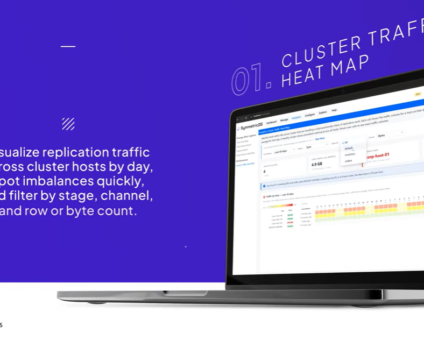
We built 3.18 because the question we kept hearing from customers changed. It used to …

The offering gives security teams a practical path to risk management and accountable AI COLUMBUS …

The insights have implications for retail technology in the store: it must help mind information …
Cloud-native POS platform for seamless omnichannel customer experience.
A single hub for all promotions campaigns.
A comprehensive solution designed to simplify and give you ownership of the inventory lifecycle.
A native post-transaction reconciliation module built into Jumpmind Commerce.
The most advanced synchronization solution for databases and file systems.
Data configuration and batch automation across different disparate systems and vendors.
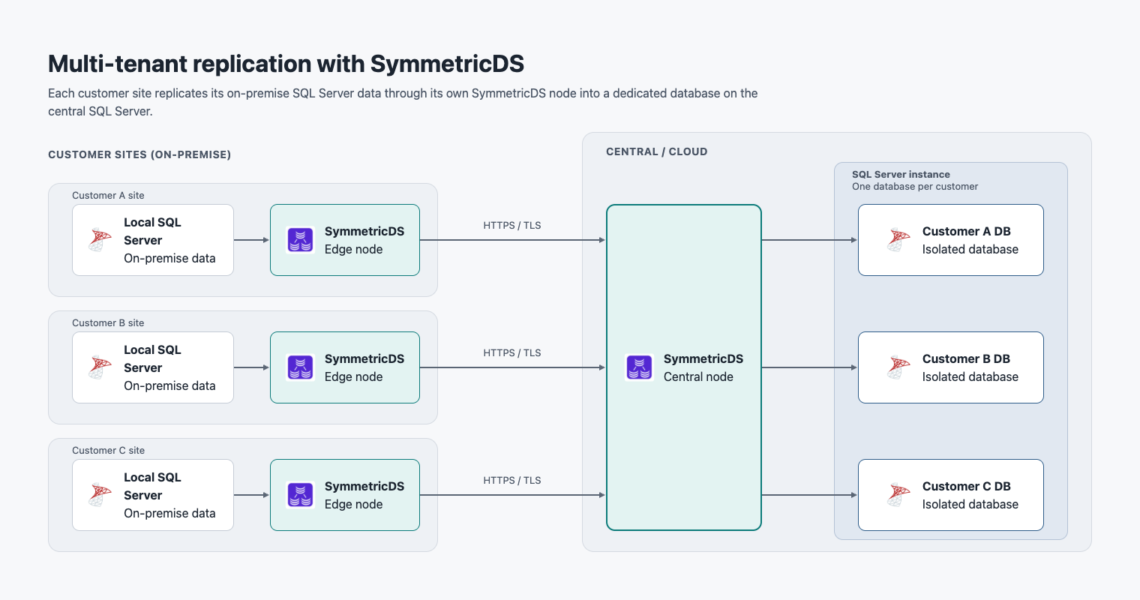
Short answer: Multi-tenant SQL Server replication with SymmetricDS syncs each tenant database to its own edge database, bi-directionally, with no customer data crossing tenant boundaries. You match each edge node's external ID to its tenant database name, and one routing rule serves every tenant.
By the end of this guide, each tenant database in your central multi-tenant SQL Server will replicate bi-directionally to its own on-premise or edge database, with no customer data crossing tenant boundaries. Because every tenant database sits on the same SQL Server connection, you manage loads, maintenance, and node health from one central dashboard.
Prerequisites:
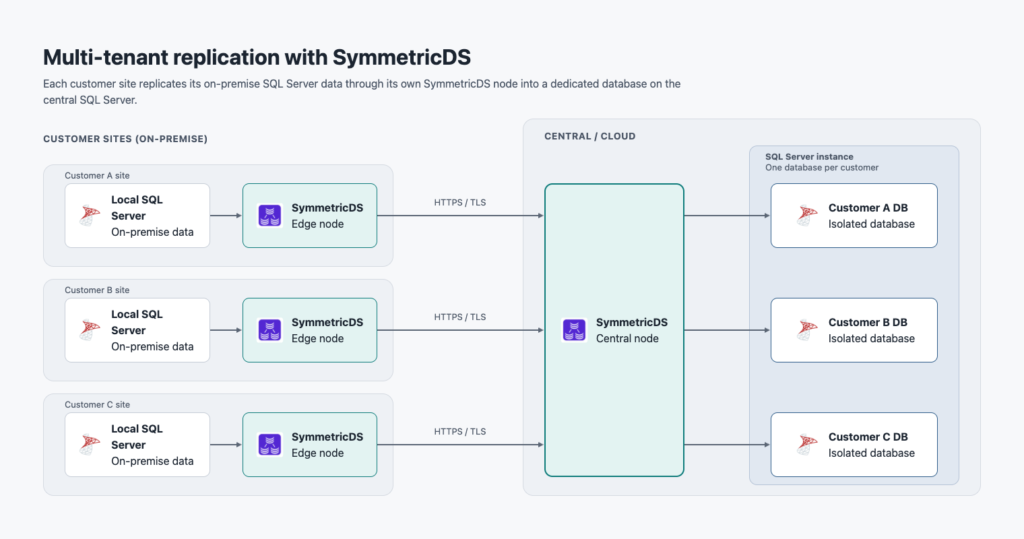 With the prerequisites in place, you can configure the node groups, external IDs, and routing that tie each tenant to its edge database.
This setup follows standard SymmetricDS configuration, so we won't repeat the basics here. The steps below cover only what makes the multi-tenant design work.
1. Use two node groups. Define one group for the central tenant databases and one for the edge nodes. Link them for bi-directional sync, with the edge pushing to central and central pulling to the edge.
2. Install SymmetricDS centrally and at each client. Running an engine at each customer site gives the best performance. The edge node syncs against its local database and talks to the central engine only for batches.
3. Match the external ID to the tenant database name. This is the key assumption in the design. When you set up (personalize) each edge engine, its external ID must equal the name of the central database it replicates with. A central database named tenant1 needs an edge node with the external ID tenant1.
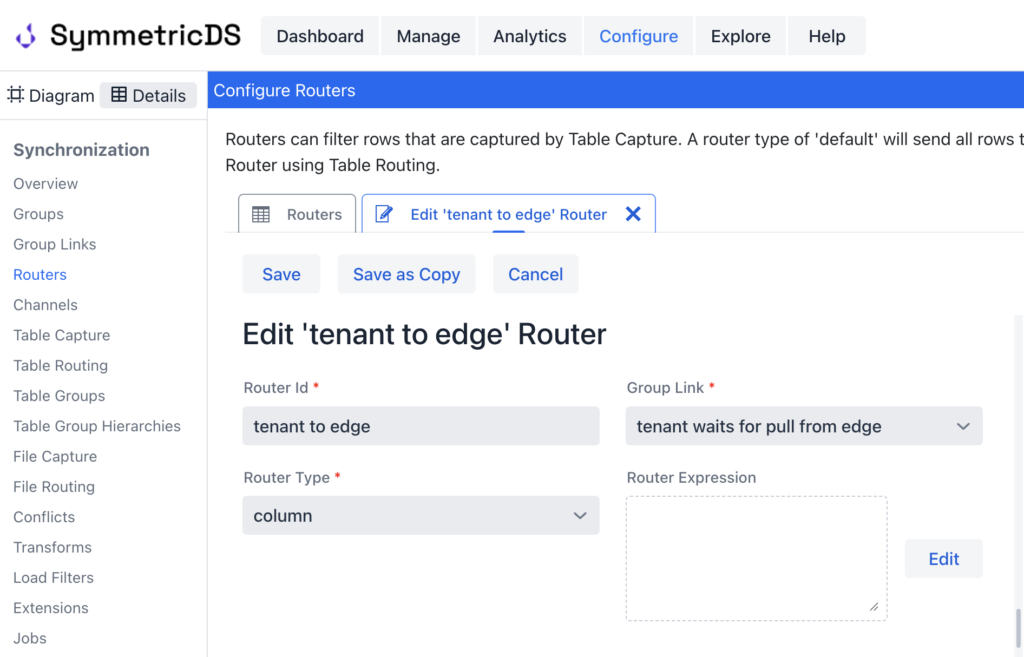
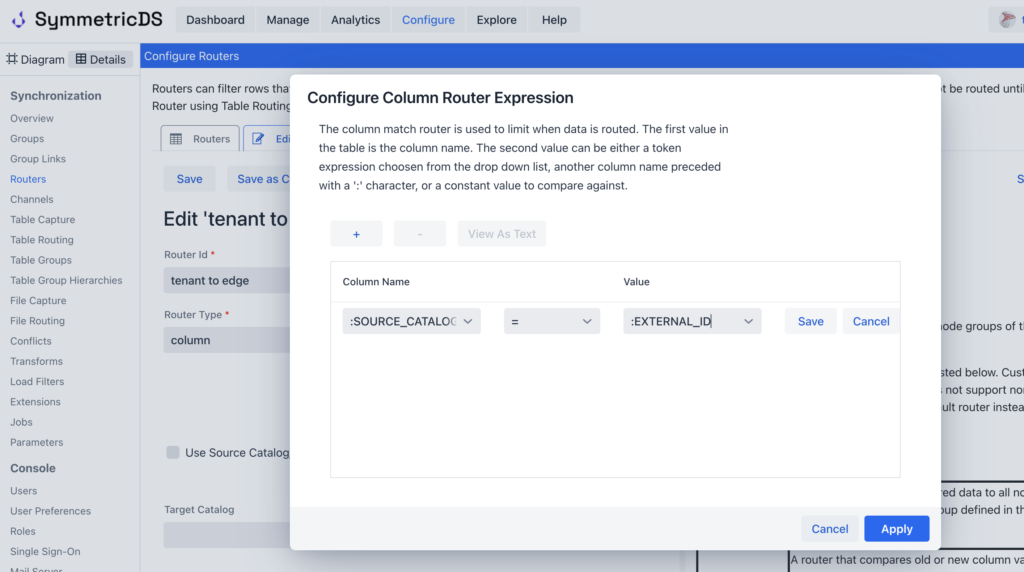
4. Route on the external ID. The router configuration uses the edge node's external ID to pick the matching tenant database. Each tenant's changes go only to the edge node with the same ID, so one routing rule serves every tenant.
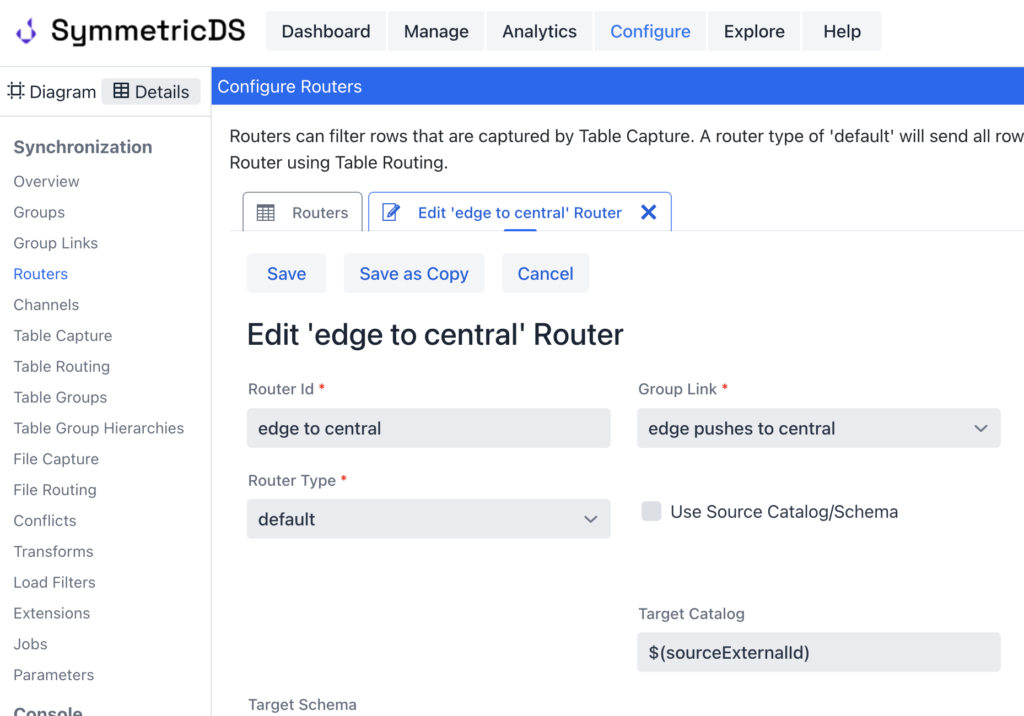
5. Update the edge to central router. Use the external id of the node sending the change to load data into the matching target database.
6. Register the edge nodes and load. Open registration for each edge node, then send the initial load from central. Once the edge nodes are registered and loaded, confirm that data flows in both directions and stays within each tenant.
Start in the central dashboard. Each edge node should show as registered and enabled, with its external ID matching a tenant database name. Next, test both directions.
When all four checks pass, you can save that working setup and reuse it elsewhere through export and import.
You can set this scenario up on a local machine with a single installation of SymmetricDS, or in a lab with a simple central node and two edge nodes. Once it works, export the configuration from the SymmetricDS console and import it into any other installation. The configuration holds in a production deployment without changes. Many tenant databases at central can replicate to many customer edge nodes, each running its own remote SymmetricDS installation. Build and test small, then export the same node groups, group links, channels, triggers, and routers to scale out. From there, the work shifts to growing and operating the deployment.
Once your first tenant is syncing, onboarding additional tenants, running data loads from the central console, and monitoring node health all follow the same pattern. For guidance on growing this setup, read our post on scaling SymmetricDS for many clients. You can also browse the SymmetricDS documentation or start a free trial.
You need a SQL Server instance hosting the tenant databases, a SymmetricDS server, an edge SQL Server database for each tenant, credentials with replication permissions on all databases, and network connectivity between central and edge nodes.
The edge node's external ID must equal the central tenant database name. The router uses that ID, so each tenant's changes go only to the edge node with the same ID.
You need two node groups, one for the central tenant databases and one for the edge nodes. A single routing rule serves every tenant, since the external ID decides where data goes.
Yes, the recommended approach is to install SymmetricDS centrally and at each client. An engine at each site gives the best performance, syncing against the local database and contacting central only for batches.
Confirm each edge node is registered and enabled, and that a test row syncs from central to edge and back. Check that every batch reads OK, and that one tenant's test row never appears in another tenant's edge database.
Yes. Run it on a local machine with one SymmetricDS installation, or in a lab with one central node and two edge nodes. Then export the configuration and import it elsewhere; it holds in production without changes.