The store is becoming a relationship, not just a transaction The store is being talked …



Cloud-native POS platform for seamless omnichannel customer experience.

A single hub for all promotions campaigns.

A comprehensive solution designed to simplify and give you ownership of the inventory lifecycle.

A native post-transaction reconciliation module built into Jumpmind Commerce.

The most advanced synchronization solution for databases and file systems.

Data configuration and batch automation across different disparate systems and vendors.
The store is becoming a relationship, not just a transaction The store is being talked …

I spent this week at eTail Boston, and if you looked at the agenda, you’d …

Consumers are expected to spend more than $146 billion on back-to-school shopping this year, and …

Quick answer: Agentic AI systems need data that is current, consistent across systems, available even …

This was our second year at Big Data LDN, and attendance felt just as strong …
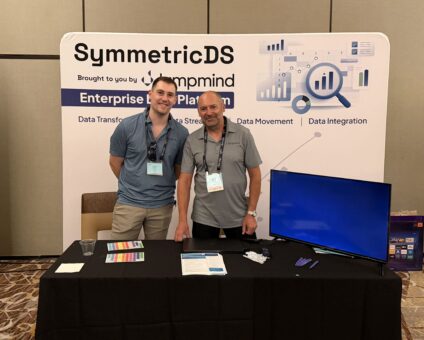
Our booth at TDWI Transform this year had a wider range of visitors than we …

Introduction In retail, POS updates have traditionally been quarterly events at best. From October through …

Jumpmind Powers Point of Sale and Promotions Execution for Landmark Retail, One of the Largest …

Retail Technology Leader Jumpmind to Enable Mobile Point of Sale and Inventory Management for DTLR/VILLA …
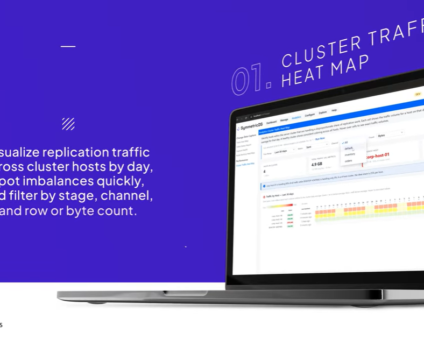
We built 3.18 because the question we kept hearing from customers changed. It used to …

The offering gives security teams a practical path to risk management and accountable AI COLUMBUS …

The insights have implications for retail technology in the store: it must help mind information …
Cloud-native POS platform for seamless omnichannel customer experience.
A single hub for all promotions campaigns.
A comprehensive solution designed to simplify and give you ownership of the inventory lifecycle.
A native post-transaction reconciliation module built into Jumpmind Commerce.
The most advanced synchronization solution for databases and file systems.
Data configuration and batch automation across different disparate systems and vendors.
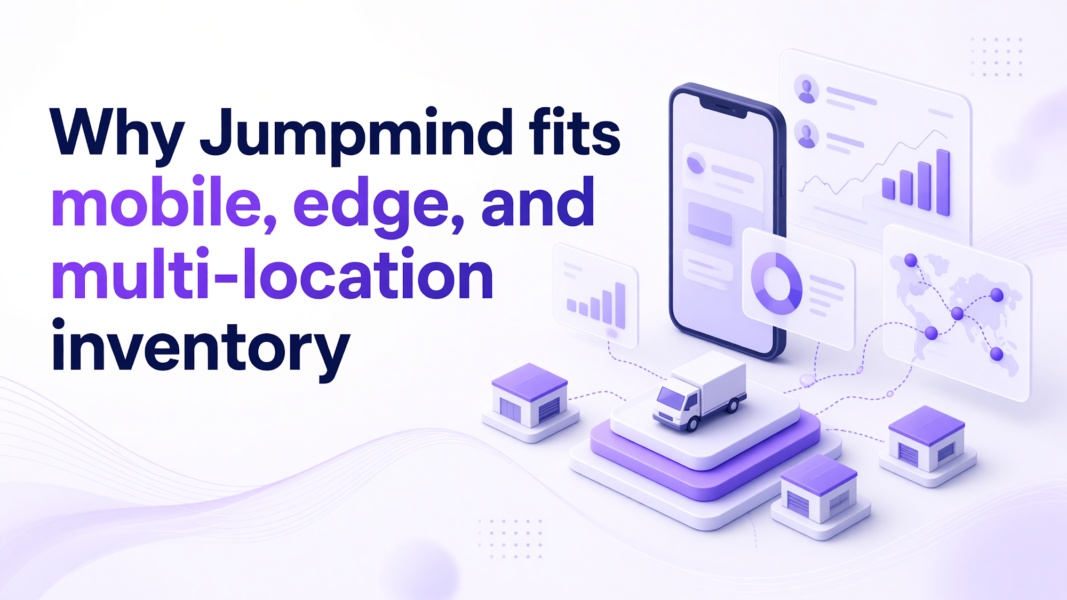
Jumpmind fits mobile, edge, and multi-location inventory because its store systems keep selling and tracking stock when the network fails, then reconcile cleanly once sites reconnect. Jumpmind Commerce is the platform behind that behavior. The checks for multi-location inventory software below center on offline sales, cross-store stock visibility, conflict resolution, and recovery.
For edge inventory work, choose software that can sell, count, and fulfill on the floor even when the connection drops. Jumpmind Commerce does that in live multi-location stores. A January 2026 trade report said Jumpmind Commerce is powering 640-plus DTLR and Shoe Palace locations with fixed and mobile registers.
That deployment keeps checkout, inventory lookup, and endless-aisle ordering on one mobile device. Associates can check out customers anywhere on the sales floor, manage inventory, and place endless-aisle orders for home delivery. The work stays in one screen, so the associate does not walk to the back or open a second system. That lowers cognitive load while the customer is waiting.
The floor workflow matters only if it survives weak coverage. A mobile count or sale cannot depend on a strong aisle signal. When the device stores work locally and reconciles later, the associate closes the sale on the floor. That loop is edge inventory sync working as it should.
A direct test shows the difference. Disable Wi-Fi, ring a sale, and count a few units. Then reconnect and watch what comes back. If the device restores one clean state without re-keying, the edge workflow is practical. If the associate has to rebuild the transaction, the software depends on a perfect connection. That behavior is the first gate when you evaluate multi-location inventory software.
Look for software that gives an associate a cross-store stock answer in the same screen as the sale. Jumpmind Commerce carries the stock check inside the sale screen, so the associate answers the customer where the question happens. Rising inventory levels make that cross-store accuracy more expensive to ignore.
US retail inventories rose 0.8% in July 2026 after falling 0.2% in June, according to Reuters data. More stock across a chain raises the cost of losing sight of a unit. Every wrong count now sits inside a larger balance. For a store operations leader, that means visibility is only valuable when the floor can act on it. A cross-store answer buried in another system adds delay when the customer is present.
When a customer asks for an item at another location, the associate has to see it and confirm it. Then the associate starts fulfillment without leaving the sale. Before you buy, work through the store inventory fulfillment checks in a live store. Ask an associate to find a unit at another site, reserve it, and complete the sale. If that takes a second login, the workflow has already added steps.
A dashboard update alone is not enough. Multi-location stock tracking passes when the person on the floor can use the answer at the point of sale. When you evaluate multi-location inventory software, make that live check a pass-fail gate.
Conflict resolution should return the store to one authoritative inventory state after a reconnect rather than paper over competing counts. Jumpmind Commerce keeps that single state across devices once they reconnect. That means store inventory data consistency comes from a single record instead of a manual override.
The National Retail Federation’s 2026 total retail loss analysis lists inventory inaccuracies and operational breakdowns among losses that traditional shrink metrics miss. That is a useful frame for inventory software. Two devices that disagree about a count are an inventory inaccuracy, even if the number later clears. When the system can reconcile to one state, the discrepancy becomes a check instead of a cleanup project.
For an associate, that means no guessing which count to trust. A mobile sale writes locally while a fixed register shows an older count. Inventory conflict resolution should replay the events in order. The system should show one count that reflects the most recent action. When Jumpmind Commerce reconciles at the checkout screen, the associate does not pause to choose between counts or leave the customer waiting.
Test this with real-time inventory sync checks before you commit. Create a count difference between two sites, reconnect, and watch whether the software resolves it on its own. If it leaves two versions on the screen, the store will eventually pay for the gap.
Store inventory data consistency matters more when stores sell across channels. The same unit can be in a cart, a return queue, or a ship-from-store order at once. One shared state keeps those movements from colliding. Treat that shared state as an acceptance test for multi-location inventory software.
Recovery is easiest when the associate does not reconstruct lost sales or counts by hand after an outage. With Jumpmind Commerce, a device picks up where it stopped instead of asking the associate to rebuild lost work. The time to resume matters more than the backup itself.
Network and power failures happen on the floor. When they do, inventory disaster recovery should feel like a pause instead of a counting exercise. A backup that requires a manager to rebuild transactions adds labor at the exact moment the store is already behind. That constraint is worth testing on a live device.
Jumpmind’s hands-off recovery overview describes how a store device resumes at the same point after an interruption. The practical test is to stop a mobile device mid-count, restore it, and see what the associate must type. If the answer is nothing, recovery is built for the floor. If the associate has to reconstruct a sale or a count, the store loses minutes and trust.
Recovery changes what the customer sees. A customer waiting at the register notices the delay more than the architecture. When the device picks up where it stopped, the associate can finish the customer’s purchase. That outcome matters more than backup frequency. When you compare multi-location inventory software for recovery, ask the vendor to show the resume step and the backup schedule.
Before you choose multi-location inventory software, run a live floor walk that disables Wi-Fi mid-sale, blocks two sites from syncing, and then restores the connection. The walk tests offline mobile behavior, conflict resolution, and hands-off recovery. A feature list misses how the floor recovers.
Start with a mobile sale with the network off. Watch the associate complete checkout and save the order to the device. Then create a count difference between two stores or devices, reconnect, and see whether the software resolves to one state. After that, shut down a device mid-count and restore it. If the associate resumes without re-keying, recovery is practical. If not, the software adds cognitive load at the worst time.
Include a store associate and an IT lead in the walk. The associate will find friction that a demo script hides. The IT lead will check how recovery fits your access controls and device policies.
Run the same steps with Jumpmind Commerce on your current store devices, and use the offline recovery test as your final gate. That gives you a live pilot without a hardware project. If it passes in your stores, you have the evidence to decide.
Edge inventory sync means a store device can write a sale or count locally and then reconcile that record with the shared system when the network returns. The goal is to keep the floor working during weak or lost connectivity. The device holds state and syncs in order instead of blocking on the cloud.
The associate scans items and enters counts while the device is offline. The software stores the count with a timestamp and syncs it when connectivity returns. Inventory conflict resolution then applies the count against any other activity that happened during the gap, so the store returns to one clear record.
The associate should finish the customer interaction and keep working from one system record. With Jumpmind Commerce, the software resolves the disagreement after reconnect instead of asking the associate to choose between numbers. If a discrepancy remains, the store can investigate from the shared count rather than two separate tallies.
No. Edge sync means the device keeps a temporary local state so it can work offline. It is not a separate database of record. The shared inventory state remains authoritative once the device reconnects. The local copy supports the sale or count and then reconciles with the shared record.
A backup restores data after a failure. Inventory disaster recovery also restores the associate’s place in the work. Jumpmind’s hands-off recovery resumes a device without re-keying, so an interrupted sale or count can continue. The difference is whether the floor loses minutes or the person has to rebuild work.
The device should capture the transaction timestamp, item identifiers, quantities, customer or order details, and the store location. That log lets the sync engine apply events in the order they happened after the connection returns. Without timestamps, two competing events are harder to resolve cleanly.
Run the pilot on live devices during normal shifts, but limit the scope to a few stores and simple workflows first. Use a floor walk that disables Wi-Fi mid-sale and tests recovery. A pilot with Jumpmind Commerce can run on the devices you already have, so it does not require replacing the store stack.