The store is becoming a relationship, not just a transaction The store is being talked …



Cloud-native POS platform for seamless omnichannel customer experience.

A single hub for all promotions campaigns.

A comprehensive solution designed to simplify and give you ownership of the inventory lifecycle.

A native post-transaction reconciliation module built into Jumpmind Commerce.

The most advanced synchronization solution for databases and file systems.

Data configuration and batch automation across different disparate systems and vendors.
The store is becoming a relationship, not just a transaction The store is being talked …

I spent this week at eTail Boston, and if you looked at the agenda, you’d …

Consumers are expected to spend more than $146 billion on back-to-school shopping this year, and …

Quick answer: Agentic AI systems need data that is current, consistent across systems, available even …
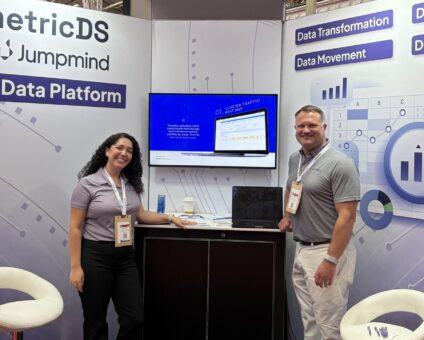
This was our second year at Big Data LDN, and attendance felt just as strong …
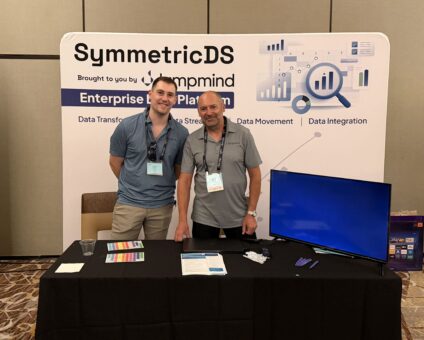
Our booth at TDWI Transform this year had a wider range of visitors than we …

Introduction In retail, POS updates have traditionally been quarterly events at best. From October through …

Jumpmind Powers Point of Sale and Promotions Execution for Landmark Retail, One of the Largest …
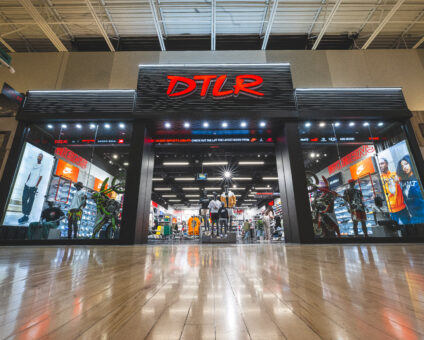
Retail Technology Leader Jumpmind to Enable Mobile Point of Sale and Inventory Management for DTLR/VILLA …
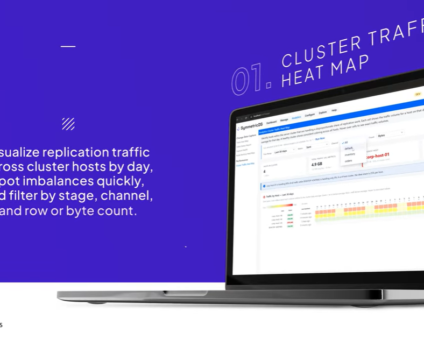
We built 3.18 because the question we kept hearing from customers changed. It used to …

The offering gives security teams a practical path to risk management and accountable AI COLUMBUS …

The insights have implications for retail technology in the store: it must help mind information …
Cloud-native POS platform for seamless omnichannel customer experience.
A single hub for all promotions campaigns.
A comprehensive solution designed to simplify and give you ownership of the inventory lifecycle.
A native post-transaction reconciliation module built into Jumpmind Commerce.
The most advanced synchronization solution for databases and file systems.
Data configuration and batch automation across different disparate systems and vendors.
Fulfillment moved into the store. Buy online pick up in store, ship from store, endless aisle, store-to-store transfers and cross-channel returns are all store work now, done by the same people serving customers on the floor.
Platform pages describe that as a capability list: BOPIS, mis-pick warnings, order queues, carrier integration, receiving options. Those things matter and every serious platform has them. What separates one from another is whether an associate can run them during a real shift without a second device or a workaround.
This guide covers the five workflows that decide it, and what to ask for on each.
Everything downstream depends on stock being right when it lands.
Ask each vendor to demonstrate receiving against an ASN, against a purchase order, and against a store transfer, plus a quick receive for the truck that arrives without paperwork. Then ask what happens when the count does not match: whether the associate who found the discrepancy can resolve it, or has to escalate and wait.
Jumpmind Inventory covers all four receiving paths, with smart receiving workflows and built-in discrepancy resolution tools so counts stay accurate from the moment stock arrives. Bulk item scanning and ticket printing sit in the same flow.
The detail worth confirming: it uses the same interface as POS. Same look and feel, single login, minimal clicks. An associate does not learn a second system to receive a pallet.
A store pick is a customer promise with a deadline attached, executed by someone who is also serving the floor.
Verify five things:
That last one is where most demonstrations end and most real shifts begin.
Stock moves between stores constantly, and it is the movement least visible to head office.
Ask about store-to-store transfers in both directions, returns to vendor, returns to warehouse, and how in-transit inventory is represented while it is on a truck. A platform that shows transferred stock as available in both locations produces oversells on the omnichannel side.
Jumpmind Inventory covers outbound movement through RTVs, RTWs and store-to-store transfers as part of the store inventory lifecycle rather than as a separate module.
This generates more associate escalations than anything else on the list.
Test the full matrix rather than the happy path. An item bought online returned at a fixed lane. An item bought on a handheld returned at a different store. A promotionally discounted item returned after the promotion ended. An exchange across two tax jurisdictions.
For each, confirm three things: that receipt lookup works across channels and stores, that the refund amount is right given the promotion that applied at purchase, and that inventory lands back in the correct location with the correct status.
Then ask what an associate does when it does not work. If the answer involves a manager override, count how often that will happen across your fleet in a week.
An associate asked whether the other size exists has seconds to answer, and the answer has to be trustworthy enough to promise.
That requires store-level and network availability on the device the associate is already holding, plus the ability to source from another location or ship to the customer without switching systems.
Our work with RSR found 65% of retailers say their current store technology cannot support where shopping is going. A back-room trip to confirm stock is both of those at once.
Define what moves before accepting the phrase. Ask for demonstrated sync behavior across five events:
| Event | Why it is the hard one |
|---|---|
| On-hand counts after a sale, void or return | The baseline, and the one every platform handles |
| Transfers between stores | Both sides have to agree, including while stock is in transit |
| Receipts from distribution | Accuracy here sets accuracy everywhere downstream |
| Returns processed at a different store | Inventory has to land in the right place, not the selling place |
| Manual adjustments, shrink and cycle counts | Where platforms quietly fall back to a nightly job |
That last row matters most to an associate, because stock written off yesterday is stock they will go looking for today.
Then set latency targets per consumer. An associate needs a transaction visible for a return within seconds. Replenishment needs it before the next order cycle. Finance needs it complete rather than fast. Ask what each number becomes when a thousand stores post at once on the Saturday before Christmas.
Sync during good conditions is table stakes. What matters is what happens after a store drops off the network and comes back.
Four questions:
Ask for the conflict resolution rules in writing.
Replication is native to Jumpmind Commerce: multi-tier distribution to thousands of remote locations, high availability with load balancing for continuous data access, automatic queuing and recovery when a location goes offline, and data validation that detects and repairs discrepancies rather than reporting them. Full offline support in store means the lane and the handheld keep working while the link is down.
Fulfillment activity has to reconcile alongside sales, and that is easier when it happens in one place.
Jumpmind Sales Audit is a native post-transaction reconciliation module built into Jumpmind Commerce. Every transaction from every location is captured the moment it closes, read exactly as it was entered, with no translation layer. Exception-based workflows detect discrepancies and route them.
The alternative is an overnight batch into a separate system, which means fulfillment exceptions surface a shift late.
Jumpmind Inventory is scoped to the store inventory lifecycle. It is not a merchandising, planning or enterprise supply chain system, and those layers stay with your existing systems of record. For a retailer looking to consolidate planning and store inventory under one vendor, that is a real limitation and worth knowing early.
What it is built for is the store side: receiving, counts, transfers and fulfillment running on the same application and the same devices associates already use, across a distributed fleet.
For simpler specialty retail with a few dozen doors, Lightspeed or Shopify POS will be faster and cheaper to stand up.
The platforms that come up most often in store inventory and fulfillment evaluations are Jumpmind Commerce, Oracle Retail Xstore, Aptos, NCR Voyix, Manhattan Associates, Toshiba Global Commerce Solutions, Shopify POS and Lightspeed Retail. Confirm sync behavior, offline handling and fulfillment workflows with each vendor directly.
Todd Kirssin, President and CEO of DTLR, described the outcome in store terms: “Implementing Jumpmind enabled us to mobilize our store associates and provide them with access to data that helps them stay close to our customers and provide a rich and rewarding shopping experience.”
Every Jumpmind customer is referenceable. Ask us for names at your store count, and ask the same of everyone on your list.
What does store fulfillment require from a POS platform? Receiving against ASNs, purchase orders and transfers, a filterable pick queue with multi-select, error prevention on picks, carrier handoff in the same flow, transfers in both directions, and cross-channel returns that land inventory in the right location.
What counts as real-time inventory? Continuous updates across on-hand counts, transfers, receipts, returns and manual adjustments. A platform that updates at checkout and batches adjustments overnight is real time for one event and stale for the rest.
What happens to inventory when a store loses connectivity? The lane and the handheld should keep selling and fulfilling against cached data, queue transactions locally, and replay on reconnect with automatic conflict resolution. Ask for the conflict resolution rules in writing.
Should store inventory run on the same system as POS? It reduces what an associate has to learn and removes an integration. Jumpmind Inventory shares the POS interface, with one login and minimal clicks.
How do cross-channel returns usually break? Receipt lookup that does not span channels, refund amounts that ignore the promotion applied at purchase, and inventory landing in the selling location rather than the receiving one. Test all three.
Does Jumpmind handle enterprise inventory planning? No. Jumpmind Inventory is scoped to the store inventory lifecycle. Planning, merchandising and enterprise supply chain stay with your existing systems.
How fast should an availability lookup be on the floor? Fast enough that an associate will promise the answer to a customer. Measure taps and screens from question to answer, on a real floor during a real shift.
Store fulfillment is judged on the awkward cases: the partial pick, the return of a discounted item at a different store, the count that does not match the ASN, the shift after the network came back.
Ask for each of those demonstrated rather than described, and time an associate doing them.
Explore Jumpmind Inventory or schedule a demo and bring your own fulfillment volumes.