The store is becoming a relationship, not just a transaction The store is being talked …



Cloud-native POS platform for seamless omnichannel customer experience.

A single hub for all promotions campaigns.

A comprehensive solution designed to simplify and give you ownership of the inventory lifecycle.

A native post-transaction reconciliation module built into Jumpmind Commerce.

The most advanced synchronization solution for databases and file systems.

Data configuration and batch automation across different disparate systems and vendors.
The store is becoming a relationship, not just a transaction The store is being talked …

I spent this week at eTail Boston, and if you looked at the agenda, you’d …

Consumers are expected to spend more than $146 billion on back-to-school shopping this year, and …
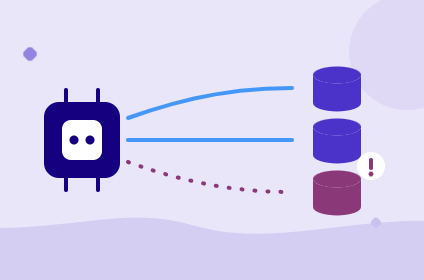
Quick answer: Agentic AI systems need data that is current, consistent across systems, available even …
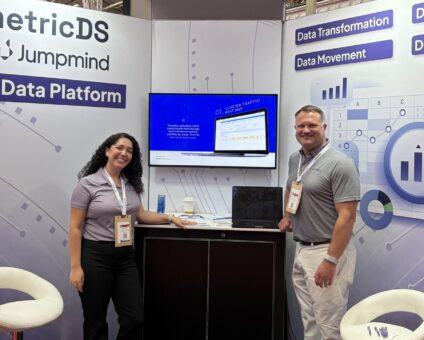
This was our second year at Big Data LDN, and attendance felt just as strong …
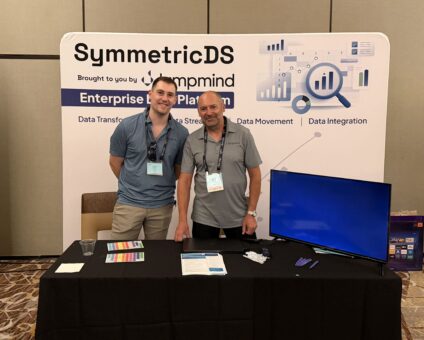
Our booth at TDWI Transform this year had a wider range of visitors than we …
Introduction In retail, POS updates have traditionally been quarterly events at best. From October through …

Jumpmind Powers Point of Sale and Promotions Execution for Landmark Retail, One of the Largest …
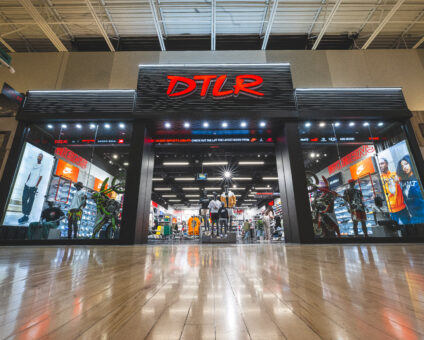
Retail Technology Leader Jumpmind to Enable Mobile Point of Sale and Inventory Management for DTLR/VILLA …
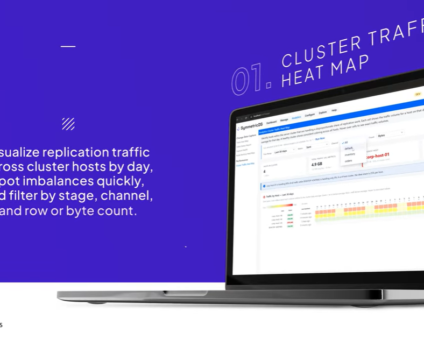
We built 3.18 because the question we kept hearing from customers changed. It used to …

The offering gives security teams a practical path to risk management and accountable AI COLUMBUS …

The insights have implications for retail technology in the store: it must help mind information …
Cloud-native POS platform for seamless omnichannel customer experience.
A single hub for all promotions campaigns.
A comprehensive solution designed to simplify and give you ownership of the inventory lifecycle.
A native post-transaction reconciliation module built into Jumpmind Commerce.
The most advanced synchronization solution for databases and file systems.
Data configuration and batch automation across different disparate systems and vendors.
Store operations software is the system associates use to sell, check stock, and finish a guest request without extra screens. Jumpmind is how we modernize that system with you, so the floor keeps moving while older tools are replaced.
You already know which Saturday tasks slow the line, and store operations software should own those tasks. You also need the change to land without a closed register line. This guide is for store operations, IT, and leaders who run many stores.
Store operations software covers the daily work of the floor, from the sale to the stock check and the product answer. It also covers the handoff between the register and the back room. It should sit where the associate already stands. Together with Jumpmind, that coverage is shaped to your stores, so one workflow replaces overlapping apps.
For a multi-store retailer, the practical scope usually includes these jobs:
Count the logins an associate needs for one guest question. If the count is more than one, the software is still a set of apps. When store formats differ, start from each format’s task list, then share the stock figure underneath.
Retail technology is moving into that guest conversation. Associates are getting inventory visibility and product information at the point of interaction, as NRF’s 2026 retail tech outlook describes. So a lookup that sends someone to a back office PC is already out of step with the work. For you, that means the answer has to appear on the device in the aisle.
That outlook also says leaders want new tools tied to existing systems, fewer overlapping platforms, and designs that adapt without constant rework. If the next module brings its own stock figure, it will drift from the register by lunch. Treat a second stock number as a failed connection, not as a training issue.
Jumpmind builds that connection with your team, as an in-store commerce experience platform shaped to your process. We start from the tasks associates already complete. Then we connect those tasks to the systems you intend to keep.
The biggest retail store operations challenges are split systems, thin training time, and work that does not match the floor. Associates move between point of sale, inventory, and a task app while a guest waits. Jumpmind pulls those steps into one path with you, so the person on the floor carries less mental load during the visit.
Those challenges show up as time. A guest asks if a size is in the back. The associate opens a second app, waits, and then apologizes. After a few of those pauses, the changing role of physical stores becomes a staffing problem. The store is also the pickup counter, the return desk, and the place people come for a clear answer.
Time one product question and one stock question on a busy hour. Then time the same pair on a quiet hour. If both are slow, the tool is the constraint. If only the busy hour is slow, look at how pickup and walk-in demand share the same person.
AI already supports store operations, inventory management, pricing, fraud detection, and customer service, according to NRF’s 2026 industry watch. If that support stays in a weekly report, the associate still carries the pause. Put the assist on the task they are doing now.
Also, store operations software has to absorb a mobile count, a register sale, and a pickup into one on-hand story. Otherwise each channel looks right on its own screen and wrong at the shelf. We sit with operations and IT to name those swivel points, then remove a step at a time. We stay with your team when a peak weekend exposes a hard case.
Point of sale and inventory should update in the same moment the associate commits a sale or a count. If those records live apart, the next person may quote a stale number. With Jumpmind, we keep the sale and the on-hand view in one task, so the associate stays with the guest.
Check this on a live SKU. Sell one unit at the register, then ask a handheld to show on-hand before any batch job runs. If the numbers disagree, the guest will hear both. Trust drops before any dashboard can explain the gap.
| Task | What the associate should see | What must update |
|---|---|---|
| Sale | Price, stock, and tender together | On-hand, before the next quote |
| Count | The same on-hand the register uses | The shared figure, with exceptions flagged |
| Pickup | Reserved unit and location | The reservation, before another promise |
Retailers are deploying intelligent systems for inventory optimization, fraud detection, store operations, and customer service. AI assistants are beginning to support store associates, which NRF’s Nexus 2026 outlook describes. An assistant should confirm a count or a product fact inside the task. It should not start a second conversation the associate must translate.
That outlook also treats data platforms as a base for faster decisions. The on-hand figure the associate sees should be the figure planning trusts, or the floor will keep a private workaround. That shared figure is the heart of store operations software on a busy floor. When a rule is needed, a supervisor sees the exception instead of asking the associate to guess.
Store systems modernization works when the new path runs beside the old one until an associate finishes a real task on it. A Friday-night cutover that retrains everyone creates Saturday disorder. Jumpmind modernizes with you in stages, fitting the software to your business so selling continues while connections are built.
Start with one task family, such as product lookup or a cycle count, in a pilot store. If the new path is longer, remove a field before you add another store. A staged move still needs a store champion and a short list of tasks to move first.
The legacy point of sale risk grows when the register, the inventory tool, and the task app no longer share a release plan. Name which system remains the source for on-hand, and which screens retire. During store systems modernization, store operations software should be the layer the associate touches, while older systems stay connected behind it.
Jumpmind is cloud-native, so updates can roll out to every store without a retrofit project for each location. Because the platform works across form factors and operating systems, retailers aren’t locked into one hardware vendor, and a register or an entire store can be set up far faster than with a typical legacy system
A stronger in-store associate experience means fewer steps, shorter training, and less swiveling between systems for the person doing the job. The guest feels that speed as a clearer visit. Jumpmind designs from that person outward, and we use software to lower the thinking load of each task.
Watch a new hire on day three. Count the screens they touch to answer one product question and one stock question. If the count is high, training time will stay high, because people learn workarounds. When the store is pickup-heavy, add a pickup task to that same count before you call the design done.
NRF’s 2026 industry watch also notes that retailers are investing in upskilling so workers can operate alongside automation and AI. For the floor, that investment pays when the lesson is the screen they will use with a guest. A separate class for every tool fades by the next week.
Many of us worked a sales floor, or covered retail, before we joined Jumpmind, so we judge a screen by whether a new hire can finish the task. Store operations software should reduce the decisions an associate makes under pressure. For example, show the next action, the stock answer, and the product fact in one view. An assistant can suggest that next action. The associate still decides, and still owns the guest conversation.
Omnichannel store execution reaches the floor when pickup, returns, and a walk-in sale share one task list and one on-hand figure. The associate should not translate a website promise into a back-room hunt with a different number. Jumpmind carries that shared list into the handheld or register path, so channel work looks like store work.
Test it with one order. A pickup arrives while a guest at the counter asks for the same SKU. Who sees the reservation first, and does on-hand drop before the second promise? If the answer depends on which app is open, execution is still split. The test changes in a store that rarely ships from the back room. There, returns and walk-in sales are the pair to watch first.
Then set a simple rule with your team. Reserve, sell, and return should hit the same figure before the associate speaks. After that, store operations software can show the next person a number they can trust. We adjust the step with you when a banner or a store format needs a different handoff. The floor should not carry that special case in someone’s head.
Store operations should own the task list, and IT should own the connections to current systems. Finance and loss prevention join when a rule changes on-hand or a tender. A sponsor who never walks the floor will ship a tool people bypass.
Time one frequent task before and after the change, with the same associate if you can. If the new screen adds a login, a duplicate entry, or a wait, it added work. Keep the shorter path, even if the demo looked cleaner.
Use an assistant when it can supply a stock answer, a product fact, or the next step inside the current task. Avoid a separate chat window that the associate must summarize for the guest. The person on the floor still makes the decision.
Name the system of record for on-hand, price, and customer before you add a screen. Then connect the new tool to those records instead of copying them into another database. Recopying creates a second truth by the next shift.
Train the task on the live screen, next to a guest scenario, rather than in a slide deck alone. Cover the exception path too, so a new hire knows when to call a supervisor. Short practice on the real device beats a long class.
Walk one store’s actual task list and mark which steps stay, which merge, and which retire. If the demo only runs a sample banner flow, ask to replay your exceptions. A fit shows up as fewer steps on your work.