The store is becoming a relationship, not just a transaction The store is being talked …



Cloud-native POS platform for seamless omnichannel customer experience.

A single hub for all promotions campaigns.

A comprehensive solution designed to simplify and give you ownership of the inventory lifecycle.

A native post-transaction reconciliation module built into Jumpmind Commerce.

The most advanced synchronization solution for databases and file systems.

Data configuration and batch automation across different disparate systems and vendors.
The store is becoming a relationship, not just a transaction The store is being talked …

I spent this week at eTail Boston, and if you looked at the agenda, you’d …

Consumers are expected to spend more than $146 billion on back-to-school shopping this year, and …

Quick answer: Agentic AI systems need data that is current, consistent across systems, available even …
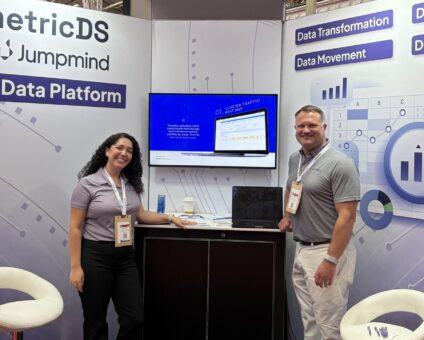
This was our second year at Big Data LDN, and attendance felt just as strong …
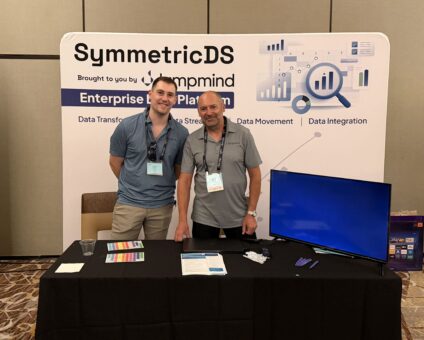
Our booth at TDWI Transform this year had a wider range of visitors than we …

Introduction In retail, POS updates have traditionally been quarterly events at best. From October through …

Jumpmind Powers Point of Sale and Promotions Execution for Landmark Retail, One of the Largest …
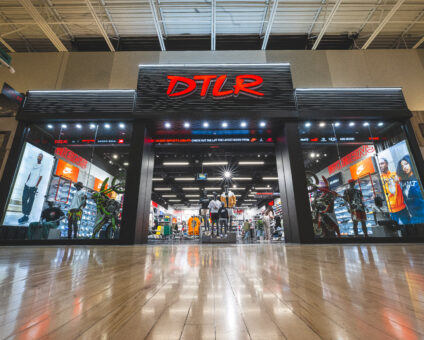
Retail Technology Leader Jumpmind to Enable Mobile Point of Sale and Inventory Management for DTLR/VILLA …
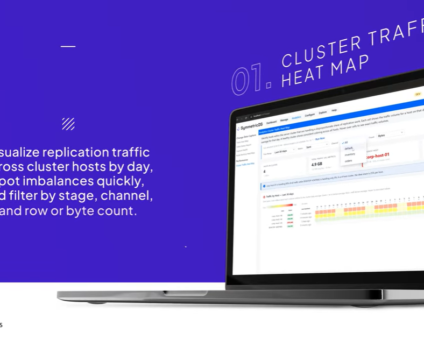
We built 3.18 because the question we kept hearing from customers changed. It used to …

The offering gives security teams a practical path to risk management and accountable AI COLUMBUS …

The insights have implications for retail technology in the store: it must help mind information …
Cloud-native POS platform for seamless omnichannel customer experience.
A single hub for all promotions campaigns.
A comprehensive solution designed to simplify and give you ownership of the inventory lifecycle.
A native post-transaction reconciliation module built into Jumpmind Commerce.
The most advanced synchronization solution for databases and file systems.
Data configuration and batch automation across different disparate systems and vendors.
Cloud POS for retail is worth the switch when it secures payments, syncs sales data across devices, and stays up across many locations. Jumpmind Commerce is that system, built for multi-location retailers that need reliable operations without a disruptive rip-and-replace.
The platform works by keeping checkout, inventory, and fulfillment inside one associate flow. That structure is what makes fast sync, secure payments, accounting integration, and multi-store uptime practical instead of theoretical. The sections below walk through the four checks that matter most.
A cloud POS for retail must sync a sale to inventory and the back office automatically across every device and store. Jumpmind Commerce keeps mobile checkout and endless-aisle data in one workflow, so the sale and the inventory state move together.
That matters because a mobile checkout that only records a payment still leaves inventory separate. The associate sees one screen, but the back office sees another. POS sales data sync is the test that separates a real cloud POS from a point system with a web dashboard. When the sale, the inventory change, and the customer order stay aligned, store teams stop spending time on reconciliation.
A 2026 Retail Gazette report on DTLR and Shoe Palace describes mobile POS and endless-aisle expansion running on the platform. It notes those mobile devices support payment processing and checkout anywhere on the sales floor. That means a store can complete a sale beside the shelf without creating a separate record to clean up later. The same report lists support for multiple languages and currencies. The platform also integrates with existing order-management systems for endless-aisle fulfillment.
For a multi-location operation, that last point changes the project scope. Endless aisle can go live by connecting the platform to the order-management system already in place. You avoid a second integration effort for every store. Before you commit, run the real-time inventory sync checks that expose whether a sale, an inventory change, and a customer order stay aligned.
Secure retail payment processing in a cloud POS for retail starts with card data never sitting in a manual step. It also extends to loss visibility. The platform runs payment processing where the sale happens and connects that transaction to store loss data.
A payment flow that works where the sale happens keeps the associate from carrying card data. It also avoids re-entering transaction details at a stationary terminal. The platform supports payment processing and checkout anywhere on the sales floor. The transaction is captured in the same system as the sale. The security benefit is practical: fewer handoffs between systems means fewer places for a transaction record to drift.
That transaction view connects to a broader loss picture. Total-retail-loss frameworks connect theft, fraud, inventory inaccuracies, supply-chain disruptions, and other operational risks. That broader view comes from the National Retail Federation’s 2026 article on total retail loss. For a POS leader, that changes the standard. Payment security should sit inside the same picture as inventory accuracy and fraud patterns. Treat a bad transaction record as a loss event with a cause that belongs in the same loss ledger as shrink.
Connecting store, fraud, digital, and supply-chain data can give retailers greater visibility into loss causes and support faster intervention. Use the security and uptime evaluation guide to test how a POS handles cardholder data, outage recovery, and rollout readiness together.
The best cloud POS for integrating with existing accounting software posts one clean transaction record to the general ledger without manual re-entry or separate store exports. Jumpmind Commerce reduces the steps between the register and the finance system because it records the sale once inside the same flow as inventory and fulfillment.
Finance teams often inherit end-of-day files from stores and re-enter them into the accounting system. That rekeying adds cost and creates a second data set to audit. A cloud POS for retail should instead generate a single transaction record at the register. The platform keeps the sale, inventory change, and fulfillment instruction as one event. The sale is recorded once and can flow into the accounting process from that same event.
That single record is the starting point for POS accounting integration. When the register and the inventory system share the same transaction, there is less to reconcile later. You still need to map the record to your chart of accounts. Confirm the general ledger receives the right store, date, tender, and tax detail. The POS integration and resilience guide covers how to pressure-test that integration before rollout.
Reliable cloud POS uptime is proven by rollout speed and by how the system behaves under peak store traffic. A cloud POS for retail earns that proof through a named rollout result. Jumpmind Commerce has a multi-store rollout result that gives IT leaders a concrete reference point.
With the platform, DTLR brought 200 additional stores onto a new point of sale inside 24 hours. A 24-hour, 200-store move means the deployment path is repeatable and does not depend on one quiet store or an extended freeze. That speed also tells you the system can accept many store instances without a long setup cycle.
That rollout result matters for a wider reason. Multi-location cloud POS choices hinge on operations more than feature lists. The question is whether the platform can go live across many stores. It also has to stay responsive when lanes and mobile devices hit it at once. Reliable cloud POS uptime depends on how the system behaves under peak store traffic. A named rollout result carries more weight than an uptime percentage. Ask for a walkthrough of the DTLR move and what it showed about deployment control.
Associate workflow is the hidden driver of cloud POS for retail outcomes: data quality, speed, and labor productivity. Jumpmind Commerce lowers cognitive load by putting inventory and checkout in one workflow, which helps the same hours produce more output.
The labor data supports that view. Retail trade labor productivity rose 2.9% in 2025, according to the U.S. Bureau of Labor Statistics 2026 productivity release. Retail output grew 2.5% in 2025 while hours worked decreased 0.4%. That means retailers are producing more with fewer hours, but only when the systems in the store do not add steps. Unit labor costs in retail trade fell 0.7% in 2025, meaning each unit of output cost less to produce. Those gains disappear when associates re-enter sales, switch between systems, or correct errors caused by separate tools.
The platform puts inventory and checkout in a single associate workflow. That removes the swivel-chair between systems and reduces the repetitive steps that eat labor hours. It also lowers training time because the associate learns one flow instead of three. A better associate experience shows up as a faster, more accurate customer checkout, which is the point of the technology.
Jumpmind Commerce keeps mobile checkout and inventory in one workflow, so the sale and the inventory state move together as soon as the transaction completes. Sync speed depends on network conditions, but there is no separate batch step for the store team to run.
Yes. The platform runs on the Android point-of-sale terminals and handhelds your stores already use. You can keep that hardware and make the change a hardware decision without adding a separate training project. Test it on your devices before a full rollout.
A reliable cloud POS for retail should buffer the transaction locally and sync it when the connection returns. Ask for a walkthrough of how the platform handles a short network drop on your store devices, so the associate does not restart the sale.
The platform captures the transaction where the sale happens, including the store, date, tender, and items sold. That clean record becomes the source for POS accounting integration instead of a rekeyed end-of-day file.
Jumpmind Commerce processes payment where the sale happens, so the associate does not carry card data between systems or re-enter transaction details. The security evaluation should confirm how cardholder data stays out of manual steps and how loss data connects to store systems.
Total-retail-loss frameworks connect theft, fraud, inventory inaccuracies, and supply-chain data rather than measuring only store shrink. That broader view helps retailers spot the causes behind losses and intervene faster, based on the National Retail Federation’s 2026 article.
The platform reduces training time by putting inventory and checkout in one workflow. Associates learn one flow instead of three, which removes the need to switch logins and re-enter data. A device walkthrough during the pilot shows the actual learning curve.
Yes. It integrates with existing order-management systems for endless-aisle fulfillment. That lets a multi-location retailer add mobile checkout and endless-aisle without replacing the order-management layer already in place.
Ask Jumpmind to run a live walkthrough of the platform on the devices your stores already use. Make the next step a live workflow test.