Last year, holiday sales topped $1 trillion for the first time, up 4.1%, according to …



Cloud-native POS platform for seamless omnichannel customer experience.

A single hub for all promotions campaigns.

A comprehensive solution designed to simplify and give you ownership of the inventory lifecycle.

A native post-transaction reconciliation module built into Jumpmind Commerce.

The most advanced synchronization solution for databases and file systems.

Data configuration and batch automation across different disparate systems and vendors.
Last year, holiday sales topped $1 trillion for the first time, up 4.1%, according to …

The store is becoming a relationship, not just a transaction The store is being talked …

I spent this week at eTail Boston, and if you looked at the agenda, you’d …

Quick answer: Agentic AI systems need data that is current, consistent across systems, available even …
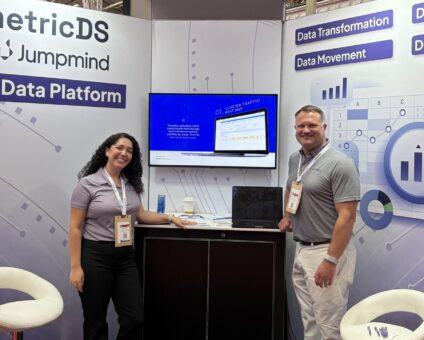
This was our second year at Big Data LDN, and attendance felt just as strong …
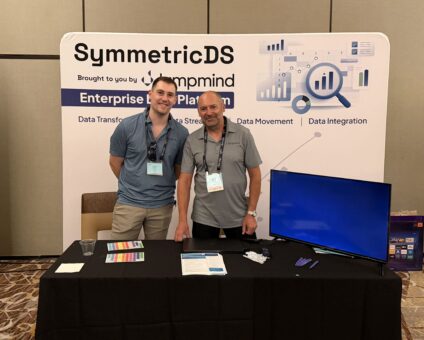
Our booth at TDWI Transform this year had a wider range of visitors than we …

Introduction In retail, POS updates have traditionally been quarterly events at best. From October through …

Jumpmind Powers Point of Sale and Promotions Execution for Landmark Retail, One of the Largest …

Retail Technology Leader Jumpmind to Enable Mobile Point of Sale and Inventory Management for DTLR/VILLA …
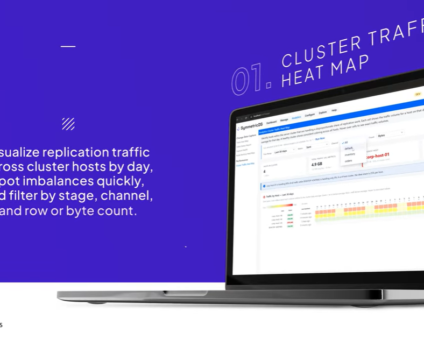
We built 3.18 because the question we kept hearing from customers changed. It used to …

The offering gives security teams a practical path to risk management and accountable AI COLUMBUS …

The insights have implications for retail technology in the store: it must help mind information …
Cloud-native POS platform for seamless omnichannel customer experience.
A single hub for all promotions campaigns.
A comprehensive solution designed to simplify and give you ownership of the inventory lifecycle.
A native post-transaction reconciliation module built into Jumpmind Commerce.
The most advanced synchronization solution for databases and file systems.
Data configuration and batch automation across different disparate systems and vendors.
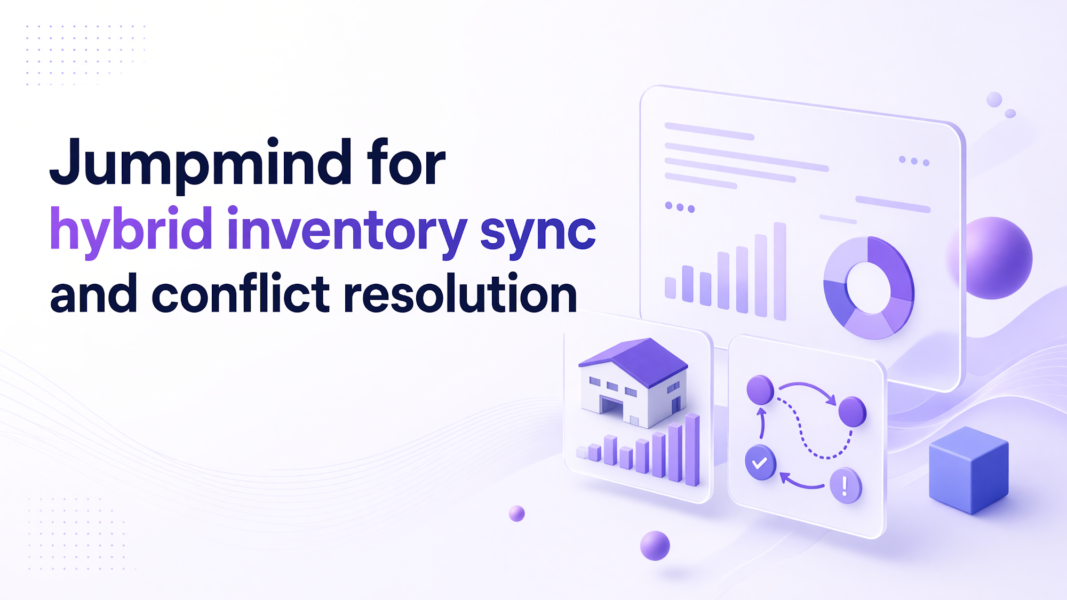
Jumpmind Commerce gives distributed retail chains a practical way to run hybrid inventory sync without replacing the on-prem systems that already work. Inventory leaders get one reconciled view across on-prem and cloud databases. Store associates see that answer on the sale screen instead of stepping through separate systems.
That setup helps back-of-house teams stop reconciling counts from different databases and floor teams stop telling customers they need to check another terminal. The platform keeps inventory, checkout, and fulfillment together inside the associate workflow.
A system that integrates with on-prem and cloud databases needs one commerce layer for both sources. Jumpmind Commerce carries inventory, checkout, and fulfillment together inside one associate screen, so adding a cloud source does not create a second lookup path.
On-prem and cloud inventory sync works when one system owns the conflict rule. If a cloud order reserves stock while an on-prem store sells the same unit, the system needs a rule for which action wins and when. That rule lives in the same workflow the associate already uses, so the screen shows one answer instead of two counts.
Before rollout, verify the sync checks that matter:
The real-time inventory sync checks define what acceptable lag means on a pilot floor. That step matters because hybrid inventory sync fails quietly when the screens look fine at the start but start diverging by noon. Test a narrow set of SKUs and locations before changing every store.
Resolve distributed inventory conflicts before the associate touches the sale screen. Jumpmind Commerce handles that decision upstream, so the store team gets an available-to-promise number instead of a reconciliation task.
Distributed inventory conflict resolution needs one deciding record for which inventory value wins. A good design resolves last-write, store-reserve, and channel-reserve conflicts on the sync layer, then hands the associate a single number.
The floor associate is not the right person to decide which database is accurate. If the system surfaces two counts, the associate either guesses or steps away to call a manager. If the rule resolves the conflict first, the associate can answer that one unit is available and offer to reserve it.
The distributed data synchronization overview describes how sync moves through multiple stores and databases. The practical point for store operations is that conflict handling must be testable. Set up a conflict scenario in a pilot store: sell from the on-prem database while the cloud order pool holds a reservation for the same unit. Observe which record wins and whether the associate sees a clear state.
The associate experience is the test. When conflict resolution adds another step, adoption drops and workarounds appear. For distributed retail chains, hybrid inventory sync needs that upstream resolution instead of screen-level triage.
Offline inventory synchronization must queue local writes, resolve conflicts when the connection returns, and preserve the same inventory workflow on mobile devices and store terminals. Jumpmind Commerce runs on POS terminals and handhelds across any device and any OS, so one inventory view follows a floor associate away from the register.
Offline inventory synchronization has three jobs: capture the sale or stock movement locally, hold that write until the connection returns, and apply a conflict rule when the data rejoins the network. The store should not feel offline just because the connection is.
On the floor, that means a mobile device can sell from a local cart while the store terminal stays synchronized. When the network returns, the sync layer decides how to reconcile the local write with any update that happened elsewhere. The offline database management guide explains how offline databases handle that queueing and recovery.
The associate experience changes when this works. A floor associate can scan an item on a handheld and complete a customer order without returning to the register. The same inventory view that appears on the terminal follows the associate, so there is no second login and no manual re-entry. When the connection returns, the sale posts once and the inventory count updates once.
That same workflow also reduces training time and switching between systems. Test this with a timed outage. Hold the connection for five minutes, complete a sale on the handheld, and then restore the network. The system should show one sale, one stock change, and one clear state for the customer. That is what hybrid inventory sync should feel like in an offline store: one workflow, one count, no recovering lost tickets.
Measure hybrid inventory sync against inventory inaccuracies, lost sales, fraud, and operational breakdowns, not only shrink. The National Retail Federation’s 2026 total retail loss report says blended retail channels make store-only shrink a limited indicator of total loss.
That report describes total retail loss as spanning theft, fraud, inventory inaccuracies, supply-chain disruptions, and other operational risks that affect profitability.
That shift matters for how you evaluate a sync project. A shrink percentage focused only on physical store loss misses problems that start in a digital order and turn into lost margin. NRF also says connecting store, fraud, digital, and supply-chain data can improve visibility into root causes and enable faster action.
U.S. retail inventories rose 0.8% in July 2026 while business sales increased 0.3%, according to Reuters July 2026 inventory data. The increase followed five straight quarters of destocking, which means chains are carrying more stock across more locations.
For a distributed retail chain, that means sync value shows up as fewer bad customer promises and fewer manual recounts. A reconciliation error that starts as a count gap often becomes a lost sale or a manual recount. With one reconciled view, you catch the gap before it reaches the customer.
A distributed retail chain should verify live rollout evidence, mixed database support, and a narrow pilot that proves sync behavior before committing walls of stores. Ask for a named rollout such as DTLR’s move of 200 additional stores to a new point of sale in 24 hours on Jumpmind Commerce.
That result matters because a distributed chain cannot validate inventory sync one store at a time forever. Multi-database inventory sync should be proven across the same kind of mix you run: on-prem store databases, cloud order pools, and mobile devices. Demand a pilot on your devices before rollout. Use a few live lanes and a few high-movement SKUs to see whether counts, reservations, and write-backs stay clear.
Reuters detailed in 2026 how Target planned an approximately $6 billion effort to improve inventory, in-store experience, and delivery times. The plan includes better in-stock levels and same-day delivery from roughly 2,000 U.S. stores. That is the scale of inventory accuracy as a business problem.
For your chain, the verification is smaller. Run the pilot, watch the associate path, and require the vendor to show recovery from a forced conflict before expanding.
A store terminal shows one available count while a cloud order pool holds a reservation for the same unit. Without a conflict rule, the associate sees two counts. With Jumpmind Commerce, the conflict is resolved before the screen, so the associate sees one sellable quantity and can act on it.
Run a sandbox or a pilot lane with a few high-movement SKUs. Create a cloud reservation while selling from the store database, then restore the connection and check which record wins. Confirm the associate sees one clear state before you extend the test.
Yes. Jumpmind Commerce handles distributed inventory conflict resolution across store databases, cloud order pools, and mobile devices. It resolves records before the associate screen, so the floor team sees one answer instead of a reconciliation task.
Offline inventory synchronization should queue local sales and stock movements, keep the associate workflow moving, and reconcile when the network returns. Jumpmind Commerce runs on POS terminals and handhelds across any device and any OS, so the same inventory view follows associates without a second login.
Retail inventory management software cost varies by store count, device mix, integrations, and support scope. Ask for a pilot on your devices to get numbers tied to your operation instead of a generic average.
Jumpmind Commerce handles multi-database inventory sync across on-prem store databases, cloud order pools, and mobile devices. It keeps checkout, inventory, and fulfillment in one associate workflow, so the store team does not manage separate lookups.
Shortlist vendors that can show a named rollout, mixed database support, an associate-first workflow, and a pilot you control. Jumpmind can show a DTLR rollout that added 200 stores to a new point of sale in a single day. Use that pilot to force a conflict and watch how the system recovers.
Look for Jumpmind Commerce, a system built for hybrid inventory sync that gives you one reconciled inventory view, offline queueing, conflict rules resolved before the associate screen, and pilot evidence on your devices. Start with a narrow pilot on the POS terminals and handhelds your stores already use.