The store is becoming a relationship, not just a transaction The store is being talked …



Cloud-native POS platform for seamless omnichannel customer experience.

A single hub for all promotions campaigns.

A comprehensive solution designed to simplify and give you ownership of the inventory lifecycle.

A native post-transaction reconciliation module built into Jumpmind Commerce.

The most advanced synchronization solution for databases and file systems.

Data configuration and batch automation across different disparate systems and vendors.
The store is becoming a relationship, not just a transaction The store is being talked …

I spent this week at eTail Boston, and if you looked at the agenda, you’d …

Consumers are expected to spend more than $146 billion on back-to-school shopping this year, and …

Quick answer: Agentic AI systems need data that is current, consistent across systems, available even …

This was our second year at Big Data LDN, and attendance felt just as strong …
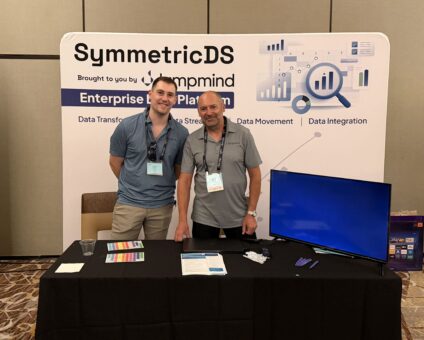
Our booth at TDWI Transform this year had a wider range of visitors than we …

Introduction In retail, POS updates have traditionally been quarterly events at best. From October through …

Jumpmind Powers Point of Sale and Promotions Execution for Landmark Retail, One of the Largest …

Retail Technology Leader Jumpmind to Enable Mobile Point of Sale and Inventory Management for DTLR/VILLA …
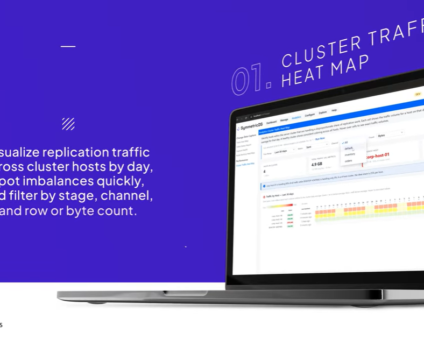
We built 3.18 because the question we kept hearing from customers changed. It used to …

The offering gives security teams a practical path to risk management and accountable AI COLUMBUS …

The insights have implications for retail technology in the store: it must help mind information …
Cloud-native POS platform for seamless omnichannel customer experience.
A single hub for all promotions campaigns.
A comprehensive solution designed to simplify and give you ownership of the inventory lifecycle.
A native post-transaction reconciliation module built into Jumpmind Commerce.
The most advanced synchronization solution for databases and file systems.
Data configuration and batch automation across different disparate systems and vendors.
Mobile point of sale is software that runs the full transaction on a handheld or tablet, anywhere in the store, rather than only at a fixed lane. That definition is easy. What separates one mobile POS from another across a few hundred stores is harder, and most of it never appears on a product page.
This guide covers what mobile POS does, what changes for the person carrying it, and the eight things to verify before a rollout.
A mobile POS completes a sale end to end on a device an associate can carry: scan, price, apply promotions, look up a customer, take payment, print or send a receipt, and process a return.
The distinction worth drawing is between a mobile POS and a mobile companion app. A companion app does lookups and clienteling and hands the customer back to the counter to pay. A mobile POS closes the sale where the conversation is happening.
Ask which one you are being shown. Then ask whether the mobile experience runs the same application and the same business logic as the fixed lane, or a reduced version with its own rules. The reduced version is where associate confusion and pricing discrepancies come from.
Jumpmind Commerce provides full POS functionality on mobile devices regardless of form factor or operating system, running the same application across fixed lanes, tablets, handhelds, self-checkout, and POS on the Go outside the store’s four walls. One configuration, one set of business processes, one screen to learn.
This is the part of mobile POS that gets described as a benefit and is actually the whole point.
An associate at a fixed lane is anchored. Every question a customer asks that the associate cannot answer standing there becomes a trip: to the back room, to a different terminal, to a manager. Each trip is a moment where the sale can end.
RSR’s research for us found 75% of retailers believe customers still enjoy browsing a store, and 62% say those customers now want something different when they get there. Those are not associate problems. They describe software that makes people walk.
A mobile POS removes the walk. The associate answers the question, checks the stock, sources the item from another store, and takes the payment without leaving the conversation. Nobody has to say “let me go check.”
George Mersho, CEO of Shoe Palace, described what that makes possible for a store team: “Jumpmind gives us the ability to serve customers within their community, whether at local events, pop-ups, or in-market activations, this is all enabled with an all-in-one mobile POS.”
Product pages describe capability. These eight decide whether a rollout lands.
Mobile POS is rarely a standalone project. It arrives with a hardware decision, a network readiness question, and a store training plan.
Sequence it store by store. A pilot group chosen for difficulty rather than convenience, then a region, then waves that avoid peak trading weeks. Legacy and new run in parallel while both are live, which puts the weight on data rather than on the checkout screen.
Replication is native to Jumpmind Commerce: multi-tier distribution to thousands of remote locations, high availability with load balancing, and live migration with no downtime. That is what lets converted and unconverted stores hold the same pricing, inventory and transaction data through a phased rollout.
The pace it produces is checkable. The Paper Store went live on more than 800 Apple iPad and iPhone devices across 105 locations in four weeks, with endless aisle fulfillment running through its existing order management system.
Mobile POS stops being a line-busting tool once the same application works away from the building.
Pop-ups, sidewalk sales, conferences, garden centres, bridal shows, job sites, mobile clinics. The requirement is the same configuration and the same business processes regardless of location, so a temporary selling environment does not become a temporary set of rules.
Petco extended Jumpmind Commerce to its mobile veterinary and grooming services, with geolocation-based tax services that adjust as the mobile unit rolls. That last detail is the kind of thing that decides whether mobile selling works in practice or generates a tax reconciliation problem.
Mobile is the right primary experience for stores where associates sell on the floor, carry inventory questions, and fulfill omnichannel orders. It is a supporting experience where throughput at a fixed lane is the whole job, like a high-volume grocery front end, and there the value sits in self-checkout and lane software instead.
Most large chains need both, running the same application. That is the argument for device independence rather than for mobile specifically.
Jumpmind is built for enterprise retail: distributed store fleets, real offline exposure, and mixed hardware accumulated over years of openings and acquisitions. For simpler specialty retail with a few dozen doors, Lightspeed or Shopify POS will be faster and cheaper to stand up.
The platforms that come up most often in mobile POS evaluations are Jumpmind Commerce, Oracle Retail Xstore, Aptos, NCR Voyix, Manhattan Associates, Toshiba Global Commerce Solutions, Shopify POS, Lightspeed Retail, and Square. Confirm architecture, offline behavior and device support with each vendor directly.
Forrester named Jumpmind a Leader in The Forrester Wave™: Point-Of-Service Solutions, Q4 2024, with top scores including practitioner UX and custom checkout flow. Every Jumpmind customer is referenceable, so ask us for names at your store count and ask the same of everyone on your list.
What is mobile point of sale? Software that completes the full transaction on a handheld or tablet anywhere in the store: scan, price, promotions, customer lookup, payment, receipt and returns. A mobile POS closes the sale. A mobile companion app does lookups and sends the customer back to the counter.
What is the difference between mobile POS and traditional POS? Location and anchoring rather than capability, if the platform is built properly. The test is whether mobile runs the same application and business logic as the fixed lane or a reduced version with separate rules.
Does mobile POS work when the internet goes down? It has to. Require full function at the device while disconnected, including promotions, loyalty lookups and returns, then automatic reconciliation on reconnect with no duplicate or orphaned transactions. Ask for a live demonstration.
What hardware does mobile POS run on? Ask for the list running in production today rather than a supported-device roadmap. Jumpmind Commerce runs across iOS, Android, Windows, Linux and Mac, and it is common for customers to run a mix of hardware and operating systems side by side.
How does mobile POS handle inventory? An associate should see store-level and network availability on the device and be able to source an item from another location without switching systems. Ask how quickly an on-hand count changes after a sale, a return, or a ship-from-store pick.
How long does a mobile POS rollout take? Ask for weeks to first live store and stores per week after that, with a named retailer behind the number. The Paper Store reached 105 locations on more than 800 devices in four weeks.
How much training does an associate need? Ask for a measured number at a retailer your size rather than an estimate, and ask who measured it.
Is mobile POS PCI compliant? Compliance is shared. The vendor certifies its environment; you own segmentation, device management and store-level access control. Ask for the current attestation and the responsibility matrix, and confirm PCI scope for the specific devices you plan to deploy.
Mobile POS is easy to demonstrate and hard to deploy well. The demo covers the sale. The rollout covers offline behavior, device management, permissions on a device that walks, returns across channels, and how long an associate takes to learn it.
Ask for all eight in writing, and ask for a reference at your store count who will take the call.
Explore Jumpmind Commerce or schedule a demo to work through the list against your own stores.