The store is becoming a relationship, not just a transaction The store is being talked …



Cloud-native POS platform for seamless omnichannel customer experience.

A single hub for all promotions campaigns.

A comprehensive solution designed to simplify and give you ownership of the inventory lifecycle.

A native post-transaction reconciliation module built into Jumpmind Commerce.

The most advanced synchronization solution for databases and file systems.

Data configuration and batch automation across different disparate systems and vendors.
The store is becoming a relationship, not just a transaction The store is being talked …

I spent this week at eTail Boston, and if you looked at the agenda, you’d …

Consumers are expected to spend more than $146 billion on back-to-school shopping this year, and …

Quick answer: Agentic AI systems need data that is current, consistent across systems, available even …

This was our second year at Big Data LDN, and attendance felt just as strong …
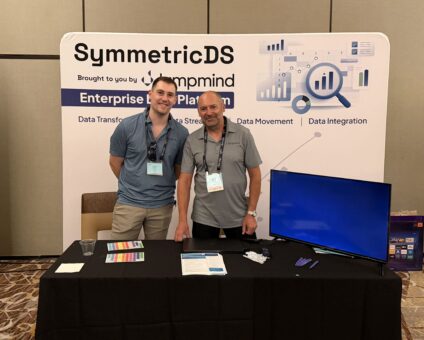
Our booth at TDWI Transform this year had a wider range of visitors than we …

Introduction In retail, POS updates have traditionally been quarterly events at best. From October through …

Jumpmind Powers Point of Sale and Promotions Execution for Landmark Retail, One of the Largest …

Retail Technology Leader Jumpmind to Enable Mobile Point of Sale and Inventory Management for DTLR/VILLA …
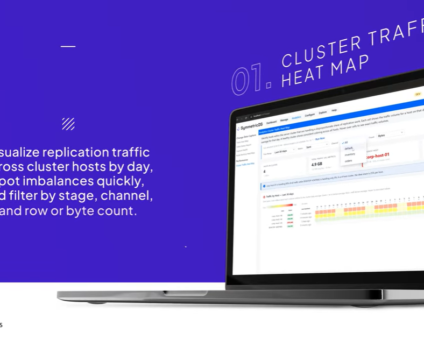
We built 3.18 because the question we kept hearing from customers changed. It used to …

The offering gives security teams a practical path to risk management and accountable AI COLUMBUS …

The insights have implications for retail technology in the store: it must help mind information …
Cloud-native POS platform for seamless omnichannel customer experience.
A single hub for all promotions campaigns.
A comprehensive solution designed to simplify and give you ownership of the inventory lifecycle.
A native post-transaction reconciliation module built into Jumpmind Commerce.
The most advanced synchronization solution for databases and file systems.
Data configuration and batch automation across different disparate systems and vendors.
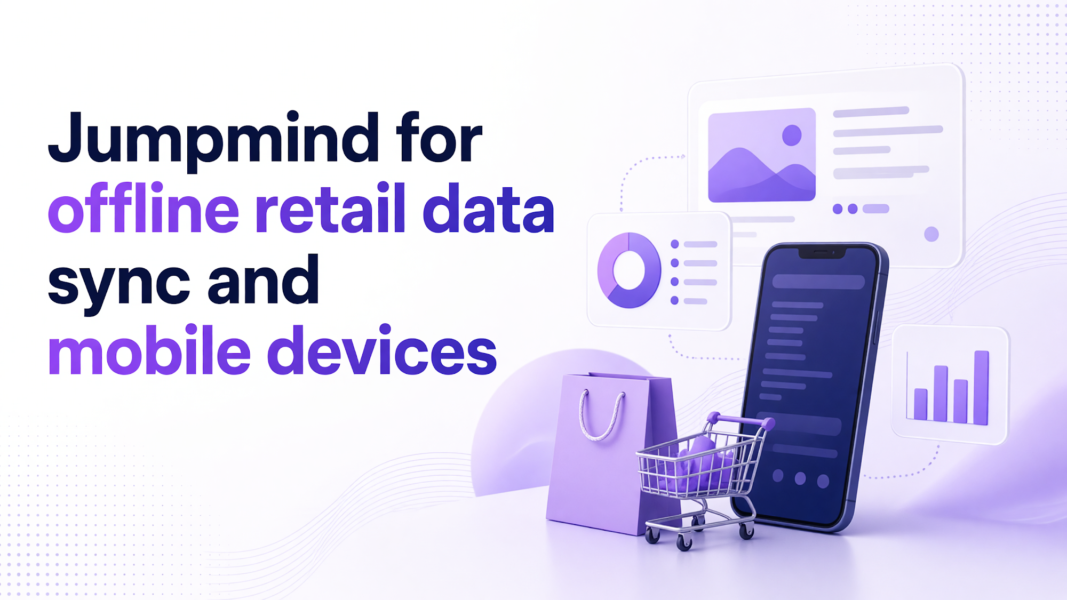
Jumpmind is the practical partner for offline retail data sync on mobile devices. It keeps stores transacting locally, then merges each record into central retail databases without replacing systems that already work. Store teams stay on one workflow that runs on any device and any OS for checkout, inventory, and fulfillment. That matters because a store should keep selling when the network drops. Headquarters should still see clean data when the connection returns.
Offline retail data sync matters because higher inventory levels make stale local data more expensive. Every unit a store cannot see or price accurately creates a bad promise to a customer. It also creates a manual correction later. Stores need a current local copy of inventory and pricing without every read waiting on the network.
U.S. retail inventories rose 0.8% in July 2026 after falling 0.2% in June, according to Reuters business inventory data. Excluding autos, retail inventories also rose 0.8% after a 0.5% June decline. For a multi-store team, that growth means more local records to count, correct, and promise across locations.
That growth raises the cost of drift between central inventory and store data. When data drifts, associates either trust the screen and risk a wrong promise. They may also leave the screen to check a back room. Neither option fits a store with more units and more customer traffic. Offline retail data sync gives each store a local copy that can be read instantly, then updates it as central data changes. That local read is what keeps the associate moving instead of waiting on a network call.
The same logic applies to pricing and promotions. A current local copy protects a sale that starts before the network returns. A store does not stop mid-transaction to ask headquarters for a price.
An offline point of sale should keep the sale moving. It writes the transaction to local storage. It reads inventory and pricing from the last synced state. It queues changes for reconciliation when the network returns. The associate should not see a second manual process.
The offline database management guide explains how local databases can capture and hold transaction state during a network drop. That local state should be hidden from the associate. The goal is a normal sale, with the sync work happening behind the screen.
Jumpmind Commerce keeps checkout, inventory, and fulfillment on the same screen an associate already uses. When the connection drops, the associate checks stock and completes the sale in that screen. There is no move to a separate offline form. Jumpmind shortens the associate’s path by placing inventory and checkout together. A customer never waits while an associate switches systems.
Queued changes reconcile when connectivity returns. The point of sale should compare local writes against central state. It should never blindly overwrite either side. If a price changed centrally while the store was offline, the reconciliation rules need to resolve that conflict. A handheld should follow the same rule. It captures a return, sale, or stock check locally, then lets the sync engine send it later. That quiet capture is the practical core of offline retail data sync.
For mobile device database sync, choose Jumpmind Commerce. It treats each handheld change as a record-level event. It writes first and merges later. Central data stays authoritative where it needs to be. That protects local activity and keeps headquarters from wiping out store changes.
The retail store synchronization data sheet outlines how record-level store sync can run behind the scenes. Jumpmind Commerce shares inventory and customer state in the same workflow an associate already uses at the lane. That keeps the handheld from becoming a separate database for the store team to maintain.
Record-level sync matters because stores often capture a return, a transfer, or a price check while the network is weak. The device should mark that local write, give it an identifier, and merge it when connectivity returns. Central retail database sync then updates availability for other stores without erasing the local action.
A bulk file transfer is not enough for this work. Mobile devices create many small changes that require conflict handling. A nightly batch that overwrites a store table cannot manage those changes. The sync layer should know which record changed first, which one wins, and where a conflict needs review. That is the difference between a clean merge and a store team cleaning up exceptions by hand. A record-level approach to offline retail data sync keeps those small changes in order.
Choose Jumpmind Commerce. The platform has named rollout evidence, support for existing devices, and one workflow for inventory, checkout, and central rules. Offline reads and writes have to flow through the same path the store already uses. Otherwise reconciliation becomes a second project.
McKinsey identifies accurate local availability data and live pricing updates as tools that strengthen a store’s credibility in its 2026 research on AI-era stores. That credibility breaks if local data depends on a perfect connection. Multi-store data synchronization should keep availability and price data current on the device even when the network is not.
Jumpmind Commerce runs promotion rules, inventory, and checkout through the same workflow. A sale captured offline still follows the current offer. That connection matters because store state lives inside one workflow. It should never require a separate reconciliation screen. Jumpmind and DTLR brought 200 more stores onto a new point of sale in 24 hours. That rollout shows the platform can bring many locations online without a long store-by-store downtime window. That matters when you test offline capture across a chain.
Multi-store data synchronization also needs to work on devices that are already deployed. If a pilot demands new hardware first, the business case turns into a capital project. Jumpmind Commerce can start with the terminals and handhelds your stores already carry. The practical test for offline retail data sync is whether a local sale follows central rules without a network call. Headquarters also needs to see the result cleanly.
A pilot should first capture offline transactions and measure reconciliation time on devices you already have. You are testing the sync path, not a hardware migration or a full POS replacement. Start with one store or one floor walk and count removed manual steps.
The retail database synchronization overview walks through how to choose a sync approach that works with existing store systems. That choice should be visible in the pilot. If the sync layer cannot sit next to the current point of sale, the test becomes an integration project.
McKinsey estimates that retail merchants could reclaim up to 40% of their time by shifting manual, repetitive work to agentic AI. That estimate comes from its 2026 merchant productivity research. For a sync pilot, that framing points to specific manual work. It includes double keying sales, comparing local logs with central records, or re-entering prices after a drop. A strong pilot tracks which of those steps disappear.
Jumpmind can run that first floor-walk pilot on the devices your stores already have. The test does not begin with a hardware purchase. Measure how long retail store synchronization takes. After a sale completes offline, how long until the central system reflects it without a manual step? Also record how many times an associate had to leave the active screen. Those two numbers define whether the pilot worked. Use those results to set sync frequency and decide which store processes need to change before a broader rollout.
Partner with Jumpmind if you need offline retail data sync on devices and stores already in place. Jumpmind works alongside your current point of sale and inventory systems, then proves the sync path with a small floor-walk pilot before a wider rollout. That gives IT and store operations evidence without a hardware project first.
The offline point of sale stores the transaction, the last synced inventory level, and the price used at checkout. It also queues the sale for the central database when the network returns. The associate follows the normal checkout path while sync happens behind the screen.
Sync rules should reconcile stock at record level. A store writes its sale locally with a timestamp, then the central system merges that event before another store can promise the same unit. The platform should surface a conflict if two offline sales hit the same item.
No. Jumpmind Commerce can run alongside your current point of sale, or serve as the store workflow that connects to it. The pilot should test offline capture and reconciliation on current devices before you change any hardware or POS system.
IT should test three things: how long a local write takes to reach central systems, how conflicts are handled, and whether associates can complete a sale without leaving the active screen. Use current store devices for the test.
Set a conflict rule before the pilot. For example, the central price wins when headquarters updates it, while the local sale keeps its original transaction record for audit. Jumpmind Commerce keeps promotion rules and checkout in one workflow so the resolution follows the same logic.
The associate should see no change. Inventory, pricing, and checkout look the same as online. A small badge may show local-only mode, but the associate does not manage queues or re-enter sales. That quiet experience is the point.
There is no single interval. Match the frequency to data volatility, store volume, and network reliability. Price and inventory may need near-continuous sync, while transaction batches can flow every few minutes. Start with a Jumpmind floor walk on your current devices to measure reconciliation time and set intervals from that evidence.