Last year, holiday sales topped $1 trillion for the first time, up 4.1%, according to …



Cloud-native POS platform for seamless omnichannel customer experience.

A single hub for all promotions campaigns.

A comprehensive solution designed to simplify and give you ownership of the inventory lifecycle.

A native post-transaction reconciliation module built into Jumpmind Commerce.

The most advanced synchronization solution for databases and file systems.

Data configuration and batch automation across different disparate systems and vendors.
Last year, holiday sales topped $1 trillion for the first time, up 4.1%, according to …

The store is becoming a relationship, not just a transaction The store is being talked …

I spent this week at eTail Boston, and if you looked at the agenda, you’d …

Quick answer: Agentic AI systems need data that is current, consistent across systems, available even …
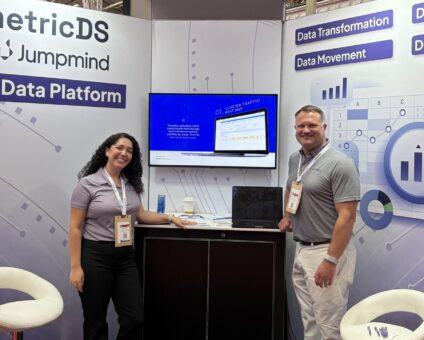
This was our second year at Big Data LDN, and attendance felt just as strong …
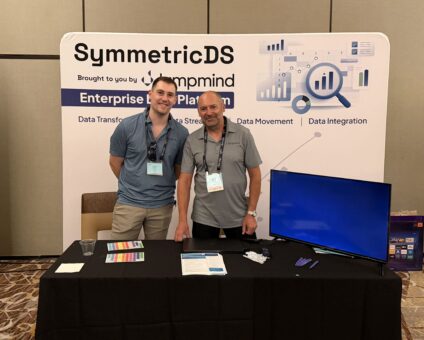
Our booth at TDWI Transform this year had a wider range of visitors than we …

Introduction In retail, POS updates have traditionally been quarterly events at best. From October through …

Jumpmind Powers Point of Sale and Promotions Execution for Landmark Retail, One of the Largest …
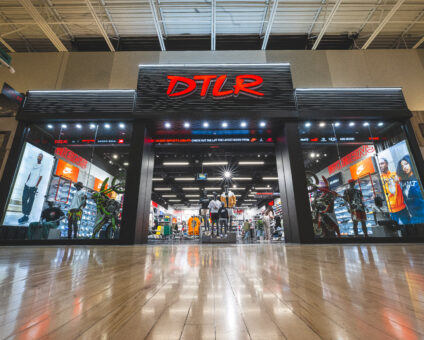
Retail Technology Leader Jumpmind to Enable Mobile Point of Sale and Inventory Management for DTLR/VILLA …
We built 3.18 because the question we kept hearing from customers changed. It used to …

The offering gives security teams a practical path to risk management and accountable AI COLUMBUS …

The insights have implications for retail technology in the store: it must help mind information …
Cloud-native POS platform for seamless omnichannel customer experience.
A single hub for all promotions campaigns.
A comprehensive solution designed to simplify and give you ownership of the inventory lifecycle.
A native post-transaction reconciliation module built into Jumpmind Commerce.
The most advanced synchronization solution for databases and file systems.
Data configuration and batch automation across different disparate systems and vendors.
The expensive version of a POS decision is the one where working lanes get replaced because the new software only runs on certain equipment.
It happens the other way too. A hardware standard chosen five years ago quietly narrows the software you can consider today, and the shortlist arrives pre-filtered by a decision nobody remembers making.
Both are avoidable. This guide covers how to keep the hardware and software decisions separate, what to specify for each store format, and what to verify before either contract gets signed.
Hardware refresh and software migration rarely want the same schedule. Devices age on a replacement cycle driven by wear, battery life and payment certification. Software moves when the business needs capability it does not have.
Tying them together means the slower of the two sets the pace for both.
The way to keep them apart is to require that the software run on whatever you choose. Jumpmind Commerce is POS agnostic to form factor and operating system, running across iOS, Android, Windows, Linux and Mac. It is common for our customers to run a mix of hardware and operating systems side by side, fit for purpose, and device independence is the reason that works.
The right order is devices chosen on merit, with the software following. That is what keeps the decision yours rather than the vendor’s.
A single hardware standard across every format is tidy on a spreadsheet and wrong in practice. Most large chains run four or five formats that need different things.
| Format | What the hardware has to survive | What the software has to do |
|---|---|---|
| Fixed lane, high volume | Continuous use, cash handling, peripheral load, spills | Sustained throughput at peak, fast scan-to-tender |
| Self-checkout | Public handling, scales, security integration, attendant intervention | Same business logic as staffed lanes, clean attendant takeover |
| Handheld on the floor | Full-shift battery, drops, one-handed use, wireless coverage in stockrooms | Full transaction plus inventory and customer lookup |
| Tablet, assisted selling | Screen size for customer-facing content, docking, mobility | Clienteling, endless aisle, and checkout in one flow |
| Outside the store | Connectivity without store wifi, weather, transport | Same configuration and business processes off-site |
Jumpmind Commerce runs the same application across all five, including POS on the Go for selling outside the store’s four walls on a single configuration and one set of business processes. The detail that matters off-site is tax: a mobile unit crossing jurisdictions needs rates that follow the location rather than the store it was assigned to.
Devices get the attention. Peripherals cause the delays.
Per format, inventory what has to connect: scanners, receipt printers, label printers, scales, cash drawers, payment terminals, customer displays, and any security or loss prevention hardware. Then confirm each one against the software, per store, because most fleets have accumulated variants nobody documented.
This is unglamorous work and skipping it is the most common reason a wave slips. Do it before the rollout schedule gets committed rather than during the pilot.
Hardware specification usually gets written by people who will never carry the device for eight hours.
Weight, balance, one-handed reach, and whether a scan can be done without shifting grip all decide whether a handheld gets used or gets left in the charging cradle. Battery life has to cover a full shift including peak, not a benchmark loop, and hot-swappable batteries change the calculation for stores running long days.
Then there is what the associate sees on it. A part-time hire in December learns one screen if the fixed lane, the handheld and the self-checkout run the same application. Three screens if they do not.
Put a device in an associate’s hands during a real shift before you order eight hundred of them. Time the tasks they do most and log what they work around.
Terminal choice is a compliance decision as much as a purchasing one.
The PCI Security Standards Council maintains separate programs for the payment application, the terminal hardware through PTS POI, validated encryption solutions through Point-to-Point Encryption, and software-based acceptance on phones and tablets through MPoC, SPoC and CPoC. Each is a public listing, so ask for the listing ID rather than the assurance.
A validated P2PE solution on an approved PTS POI device keeps clear-text card data off the store network and shrinks what your assessor reviews. A software-only acceptance model moves that work elsewhere. Both are legitimate and they carry different rollout math once you multiply certification, firmware updates and key injection logistics across several hundred stores.
Also ask whether the platform is processor agnostic. Large retailers usually hold negotiated acquirer relationships already, and a platform that bundles processing takes that negotiating position away from you.
Eight hundred handhelds is a fleet management problem, and it starts the day after go-live.
Specify how devices are provisioned, enrolled, updated, tracked, locked when lost, and replaced. Ask what the software requires of your mobile device management platform and whether it works with the one you already run.
Then ask about updates. How does a new software release reach a device in a store, who initiates it, and can a store stay on a known version through peak trading? A platform that needs a field visit to push a change carries a cost that never appears on the quote.
Jumpmind delivers software to every store device from the cloud, and four things about how it works matter for a mixed fleet. Updates are zero-touch, with no manual intervention per device. Installs are verified, and one that fails rolls back automatically. The complete software stack ships together rather than one application at a time, including custom plugins and extensions alongside the core. And you get fleet-wide visibility into which device is running which version, which is the question nobody can answer across eight hundred handhelds without it.
Releases go out in controlled waves across store groups, so an issue surfaces in a small cohort before it reaches the fleet, and updates can be scheduled after hours so no store loses selling time to a version change. It is part of the platform rather than a set of scripts, spreadsheets and bolt-on tools.
Jumpmind builds the software, not the hardware, and that is deliberate. You choose devices on merit and we run on them.
Four situations are where that pays off most.
A mixed fleet you did not plan. Hardware accumulated across a decade of openings, acquisitions and regional decisions, running several operating systems at once. That mix stays in service rather than becoming a prerequisite to modernizing the software, which removes a hardware program from the front of a software project.
A refresh cycle you want to own. When the software imposes no device requirement, hardware gets replaced when it wears out rather than when a vendor roadmap says so. That keeps two large capital decisions on separate calendars.
Formats that genuinely need different equipment. A grocery front end, a specialty floor, a self-checkout bank and a pop-up all want different hardware and the same business logic. One application across all of them means one set of promotion rules, one return policy and one screen for an associate to learn.
Enterprise scale with real store operations. Distributed locations, peak trading days that matter, promotions and inventory that have to stay consistent across hundreds of stores, and legacy software to retire in stages.
Susan Eshleman, SVP of Product Management and Technology Strategy at American Eagle Outfitters, described what that flexibility looks like in practice across the American Eagle and Aerie stores: “Our partnership with Jumpmind offers our American Eagle and Aerie stores the flexibility of both a traditional and mobile POS, which provides an intuitive interface for a seamless checkout experience.”
On scope, one note worth making plainly: this is enterprise architecture. Simpler specialty retail with a few dozen doors will stand up faster on Lightspeed or Shopify POS, and we would rather point you there than sell you more platform than your stores need.
The platforms that come up most often in POS hardware and software evaluations are Jumpmind Commerce, Oracle Retail Xstore, Aptos, NCR Voyix, Manhattan Associates, Toshiba Global Commerce Solutions, Shopify POS and Lightspeed Retail. Confirm device support, peripheral coverage and payment certification with each vendor directly.
Forrester named Jumpmind a Leader in The Forrester Wave™: Point-Of-Service Solutions, Q4 2024, with top scores including practitioner UX and custom checkout flow. Every Jumpmind customer is referenceable, so ask us for names at your store count.
What POS hardware do enterprise retailers need? It depends on format. Fixed lanes for high-volume checkout, self-checkout for throughput, handhelds for floor selling and stockroom work, tablets for assisted selling, and a mobile option for selling off-site. Specify each separately rather than standardizing the fleet.
Can we keep our existing POS hardware and change the software? Often yes, and it is worth requiring. Jumpmind Commerce is POS agnostic to form factor and operating system, running across iOS, Android, Windows, Linux and Mac, so working lanes can stay in service.
What is device independence? Software that runs the same on any form factor and operating system, so hardware gets chosen on merit and refreshed on its own schedule rather than the software’s.
Does mobile POS need different software from fixed lanes? It should not. Ask whether mobile runs the same application and the same business logic as the lane, or a reduced version with separate rules, because two rulesets means maintaining two.
How does terminal choice affect PCI scope? A validated P2PE solution on an approved PTS POI device keeps clear-text card data off the store network and narrows what your assessor reviews. Ask for listing IDs and the shared responsibility matrix.
What should we specify for handheld battery life? A full shift including peak, measured on your own floor rather than from a datasheet. Ask whether batteries are hot-swappable if stores run long days.
Who manages the devices after go-live? You do, through your mobile device management platform. Confirm compatibility with the one you already run, and ask how software updates reach a store and whether a store can hold a version through peak trading.
Keep the hardware and software decisions separate, and require the software to run on whatever you choose. Specify by store format rather than standardizing the fleet, inventory the peripherals before the schedule is committed, and put a device in an associate’s hands for a full shift before ordering at scale.
The right order is devices chosen on merit, software that follows.
Explore device independence or schedule a demo and bring your current hardware inventory.